Struggling with a poor signal is a frustrating and annoying experience. A weak phone signal
might be caused by several reasons, such as incorrect settings, a dirty SIM card, an enclosed
environment, etc. Here's a few easy fixes to boost your mobile signal!


Check APN Setting
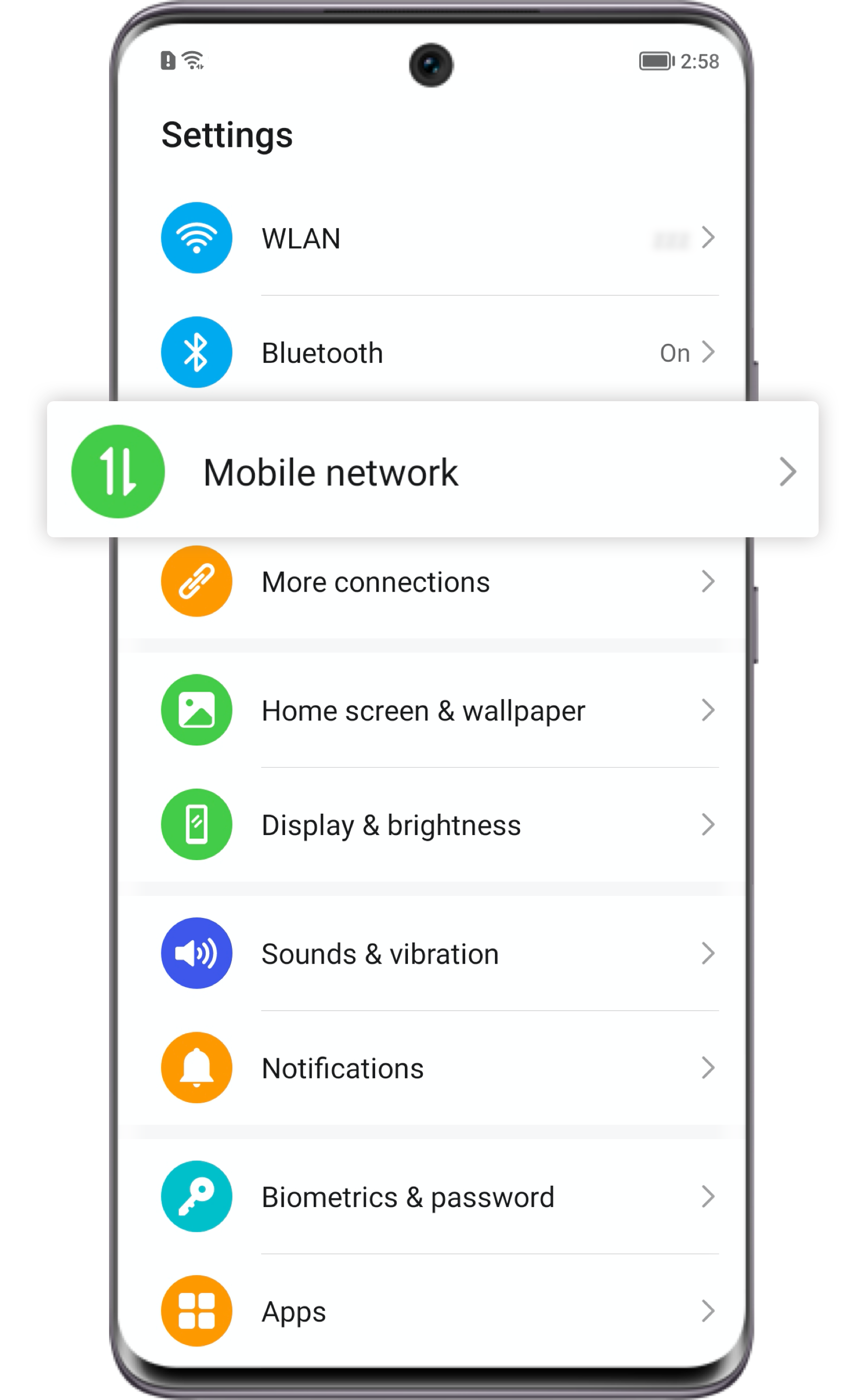
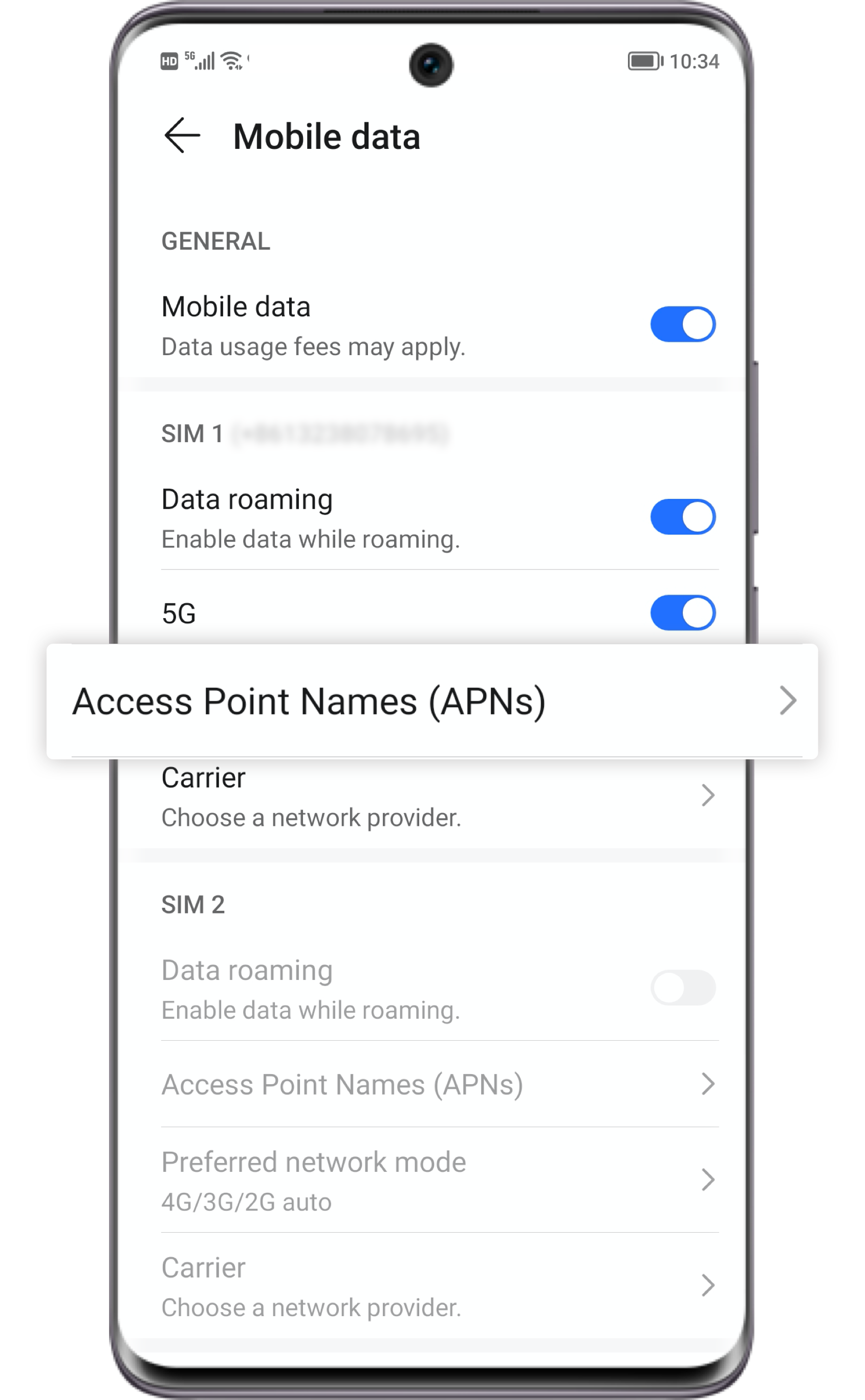
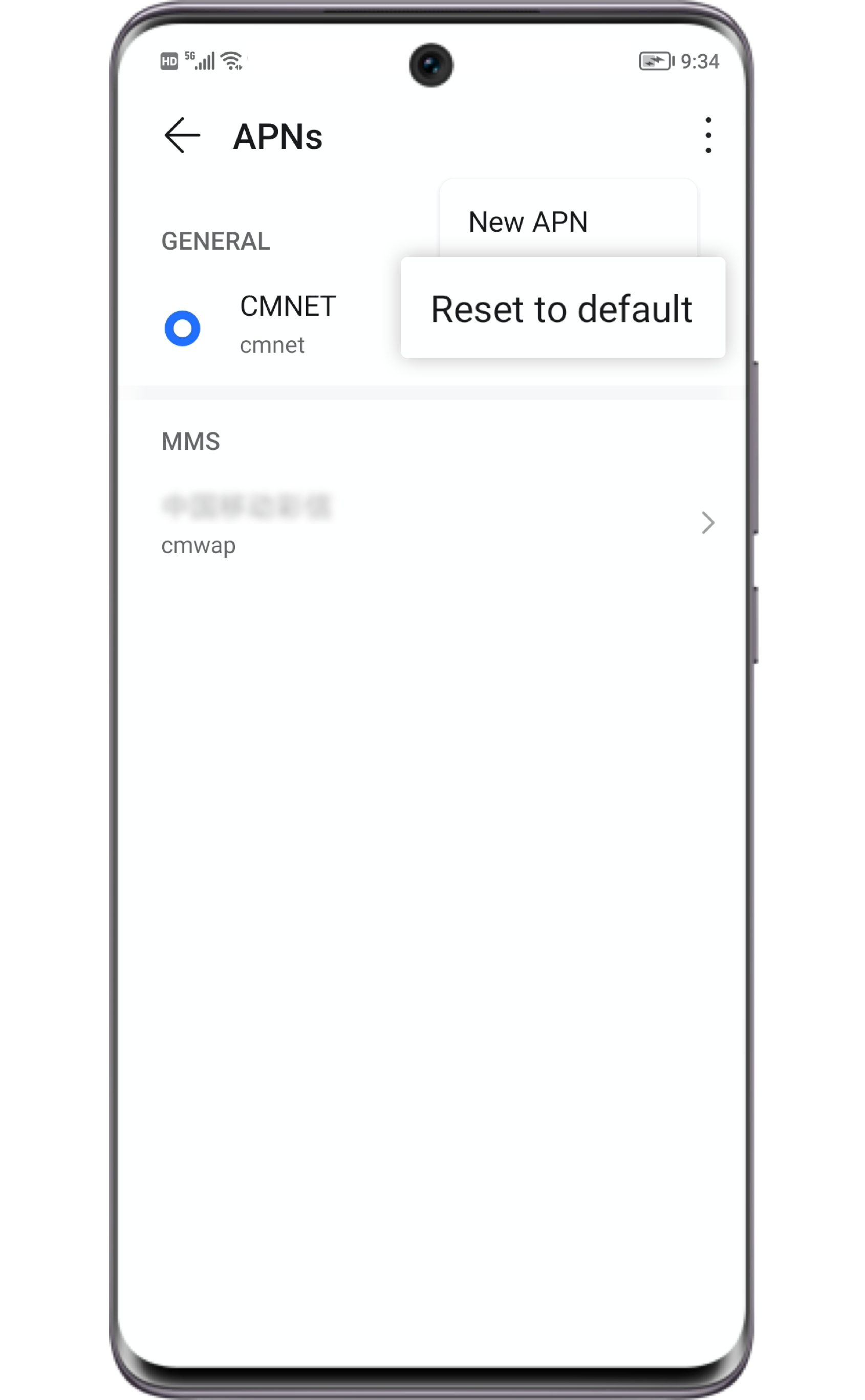
Incorrect APN settings could result in a poor signal. Select
Settings > Mobile network > Mobile data > Access Point Names
(APNs), click and select Reset to default.
and select Reset to default.

Remove the Magnet
or Metal Case
or Metal Case
Magnetic and metal materials may interfere with the phone signal.
If your phone was equipped with a metal case or a magnetic accessory, please remove it to see if
the signal issue is resolved.
You are suggested to reduce the usage of these accessories if they prove to disrupt the phone
signal.

Reset the Network Settings
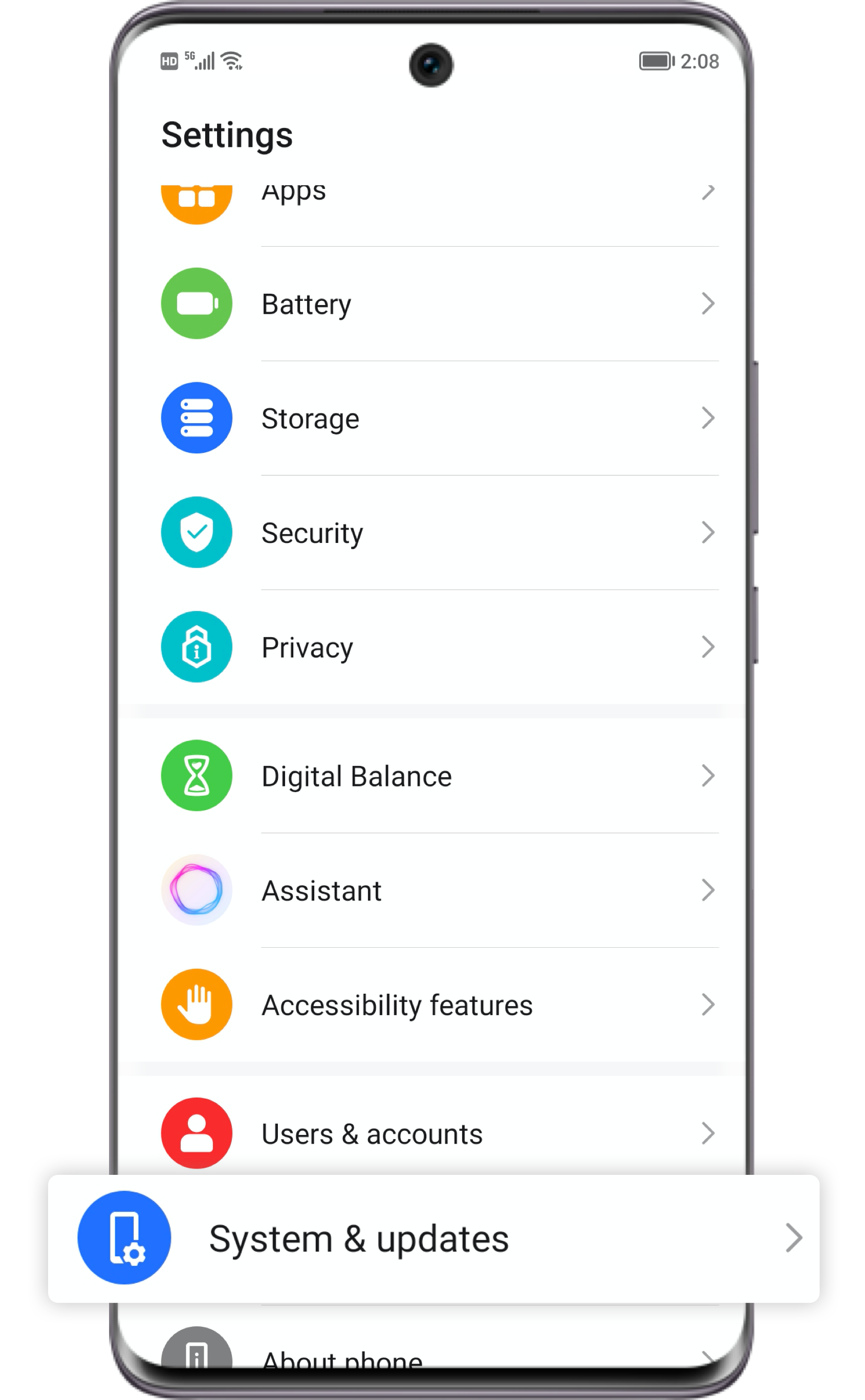
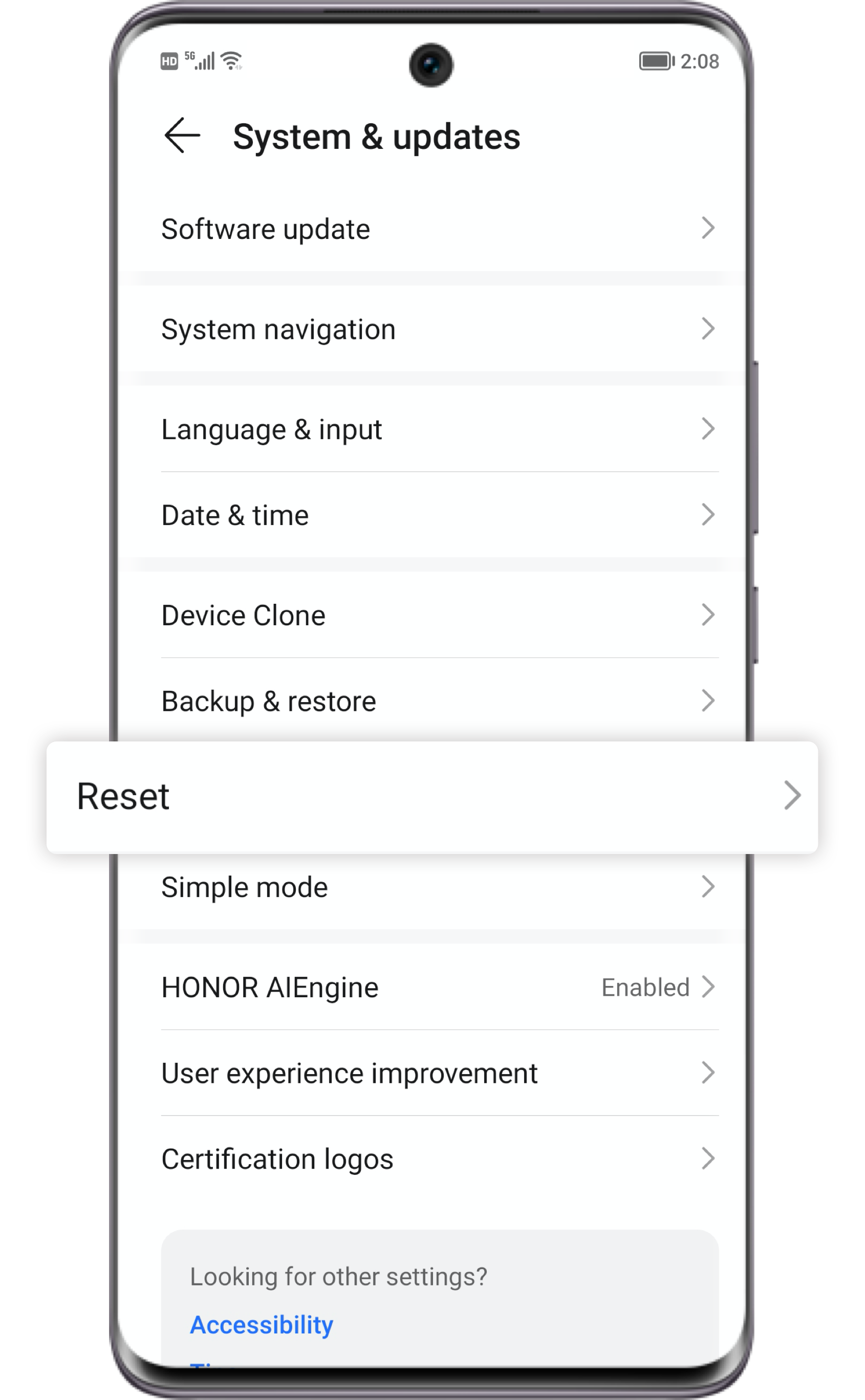
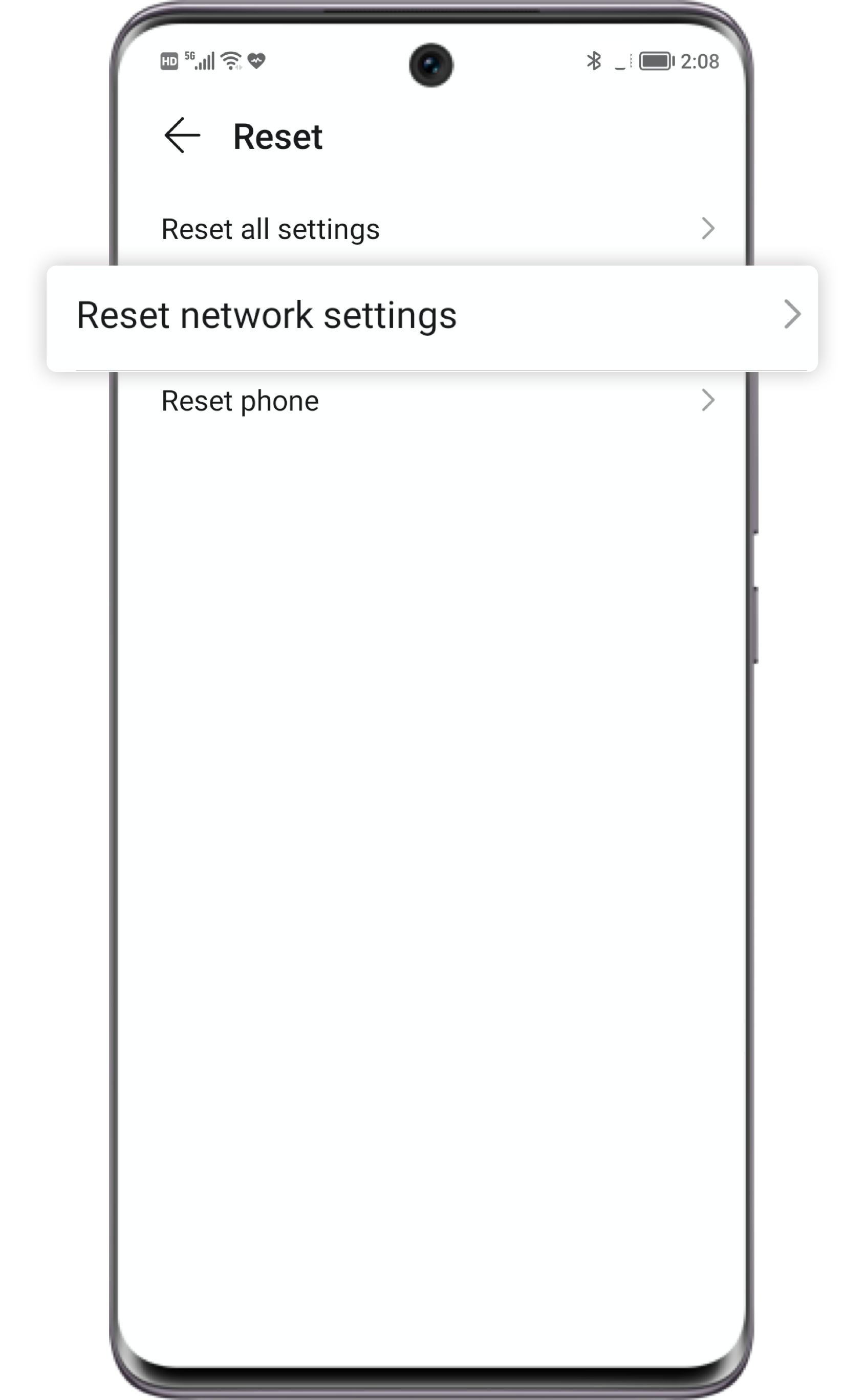
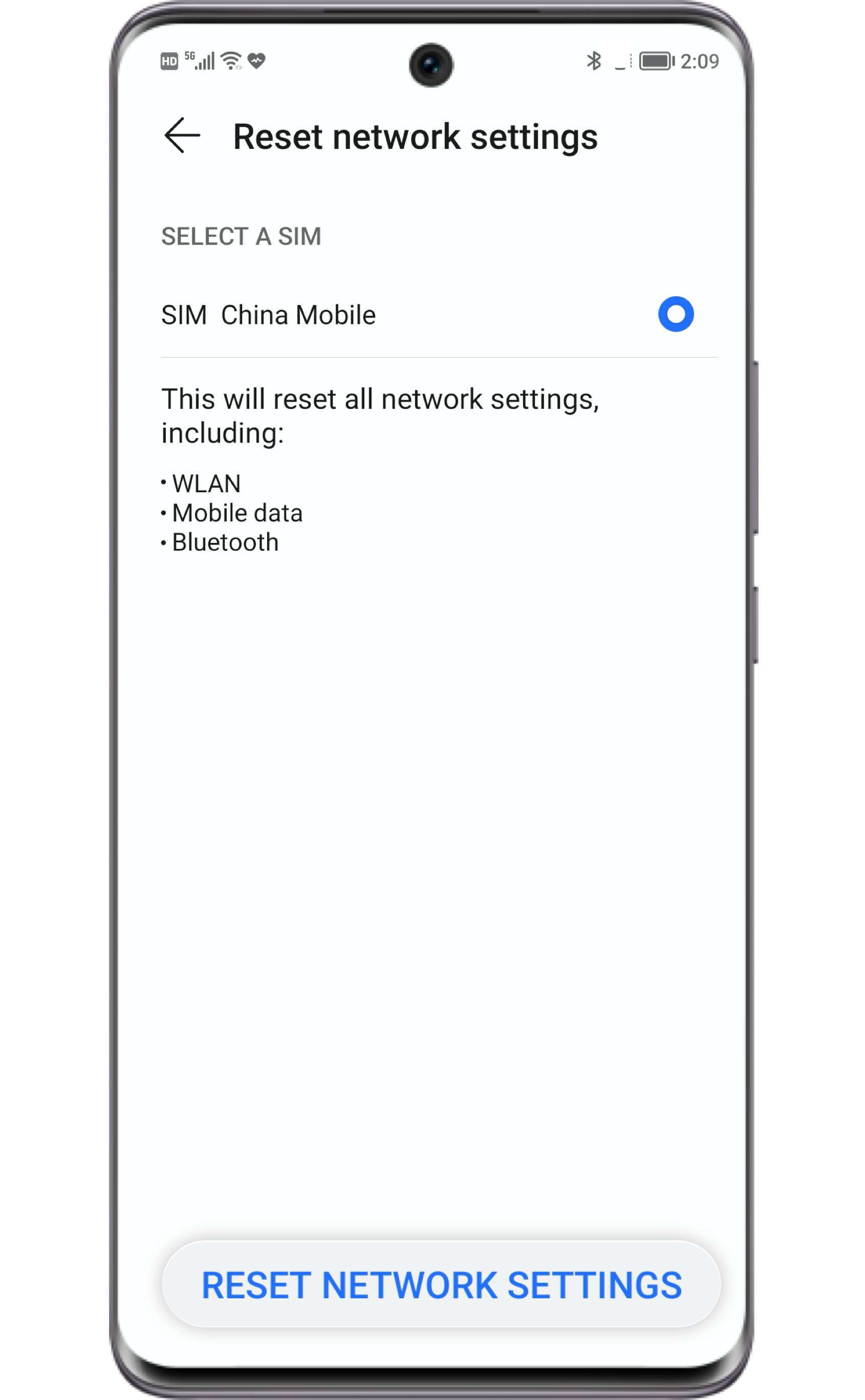
Select Settings > System & updates > Reset > Reset network settings and click
RESET NETWORK SETTINGS.
Please note that the saved WLAN and Bluetooth profiles will also be removed.

Keep Away from
Enclosed Environments
Enclosed Environments
Enclosed environments are a common reason for cell signal obstruction. If you are in a densely
spaced building or an enclosed environment, you may not have good signal.
The coverage of the network could also differ among operators. If the signal issue only occurs in a certain zone, or it also happens to people nearby whose SIM cards are supported by the same operator, the weak signal is possibly caused by the lack of network coverage. Please try to move to other areas with better coverage.

Check the SIM Card
Sometimes all you need is to take out the SIM card and clean it if it is dirty.
If the SIM card is clean but still no signal, you may check if there is a good signal by inserting the SIM card in another phone or inserting another SIM card from the same operator into this device. If it still shows no signal  , please contact the operator to replace your SIM card.
, please contact the operator to replace your SIM card.
If you have tried the above methods but the problem remains,
please refer to our online customer service via My HONOR APP or HONOR Official Website.

Recover the signal to full strength to have more fun on your HONOR phone. Follow HONOR Service
for help around other issues.