
People are becoming more and more Wi-Fi dependent in their daily lives.
If your device couldn't connect to a Wi-Fi network,do you know how to fix it?
If your device couldn't connect to a Wi-Fi network,do you know how to fix it?

Check if it's overloaded
when failed to connect to a public network
When we connect to the public network in shopping malls and office buildings, authentication is often required. If there's an authentication error, please go to Settings > Wi-Fi, remove the network and reconnect.
gif.gif)
* Tip: If the authentication screen won't pop up, please tap here to check how to fix it.
If the problem persists after you have successfully authenticated the login, it may be of the number of devices connected to the public network has reached the upper limit. In this case, it is recommended that you use mobile data to access the Internet temporarily.

4 methods to fix the home network connection failure
* Tip: Please confirm the home router is working properly and the Wi-Fi password is correct before you proceed.
Method 1
Open the Wi-Fi screen, touch and hold the name corresponding to a Wi-Fi network or touch it, select Forget, then enter the password to try connecting again.
Method 2
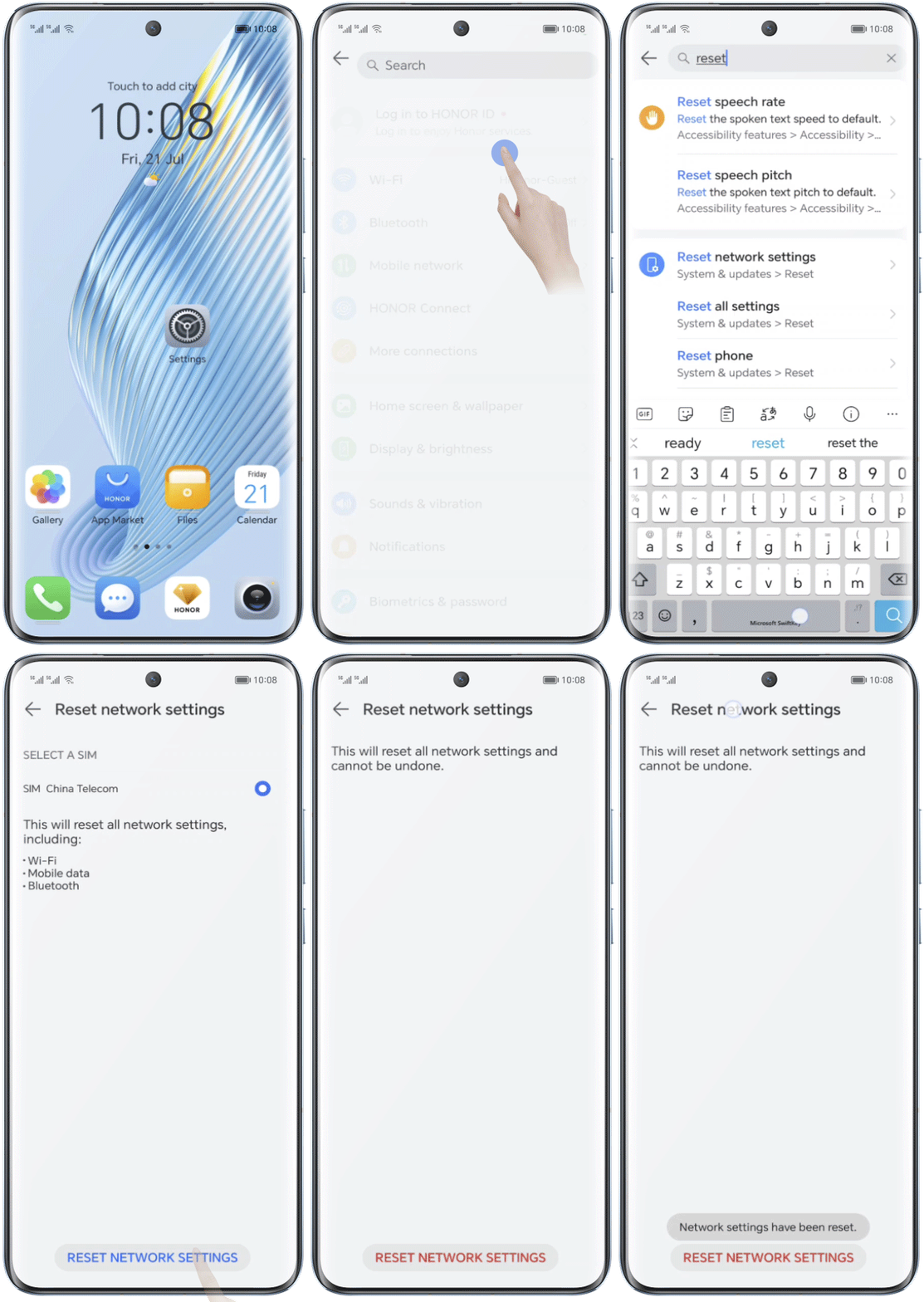
Go to Settings, search for Reset network settings, touch Reset network settings, then enter the password to try connecting again.
* This will reset all network settings, including Wi-Fi, mobile data, and Bluetooth settings, but will not delete any data or files or change other settings.
Method 3
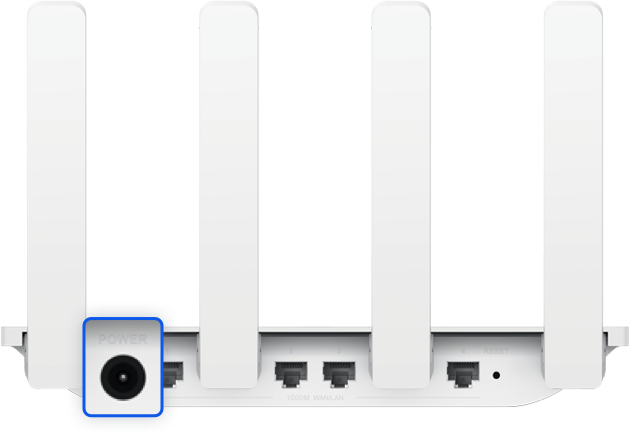
Power off and then power on the router.
Method 4
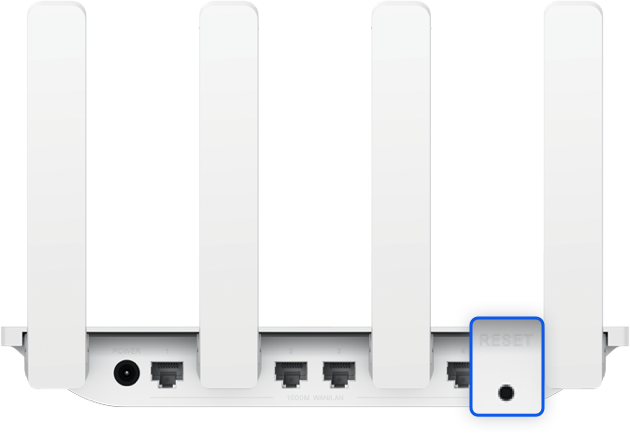
Press and hold the reset button on the router to restore the router to its factory settings and try connecting again.
* For detailed information, see the user manual of the router.
If the issue persists, back up your data and take your device and proof of purchase to an HONOR Authorized Service Center for assistance.
Fix your connection problems and feel the joy of life connected to Wi-Fi.