Staring at the screen for a long time makes your eyes feel fatigue?
Let us take some actions to protect your eyes.

The Eye comfort mode
The Eye comfort mode can effectively reduce blue light radiation and adjust the screen light to a gentler warm color, which can relieve eye strain and protect eyesight.
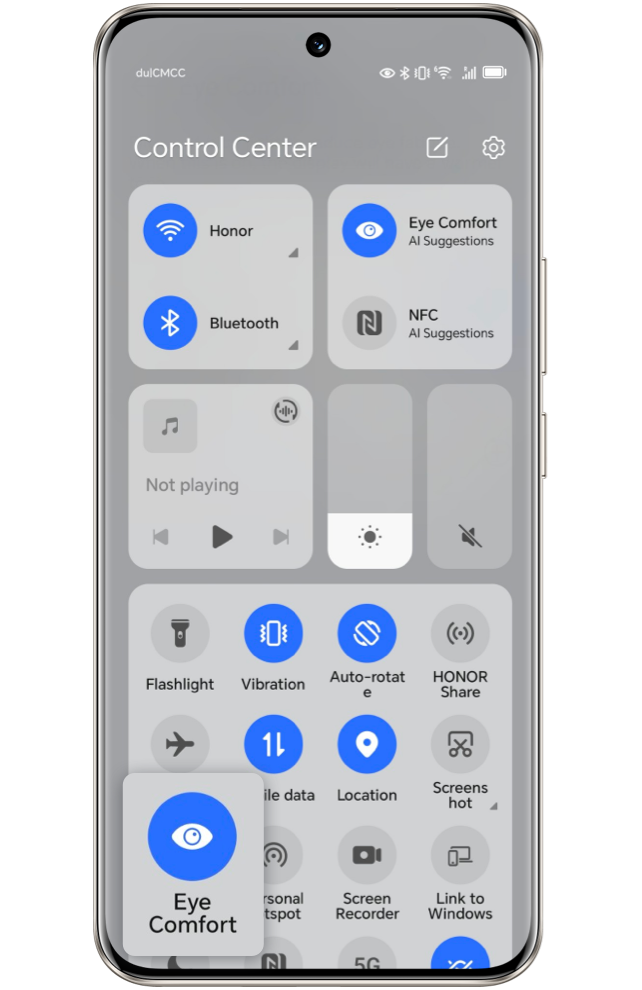
Slide out the notification panel from the status bar, and turn on the eye protection
mode, or long press the eye comfort mode to enter the setting interface, then enable
this function at your scheduled time or all day as you wish.
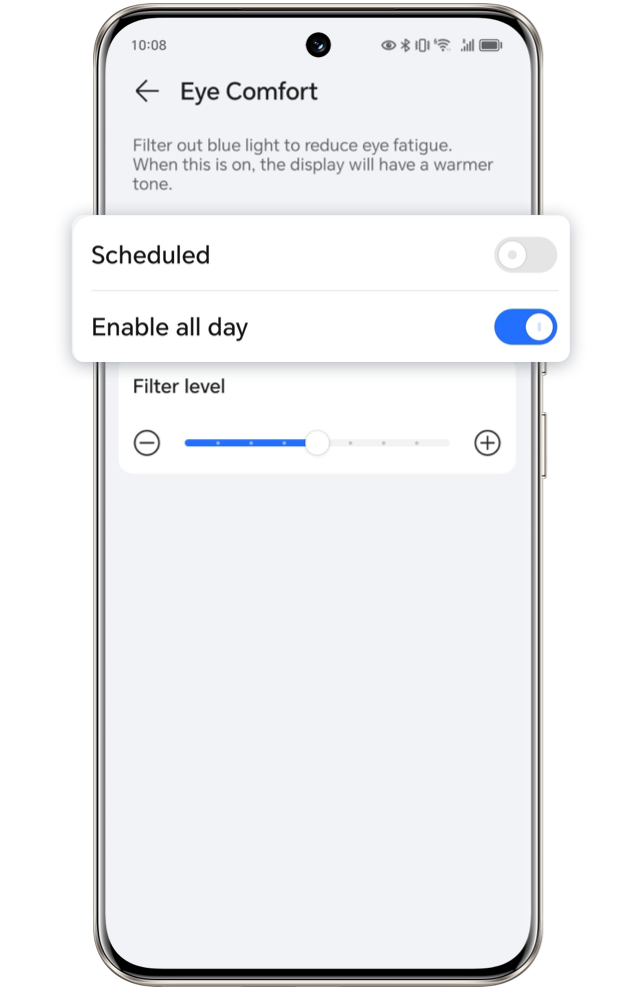
After the eye protection mode is turned on, the screen display color will be yellowish
as partial blue light have been filtered out, and there is a slide of Filter Level for
you to adjust the bule light filter percentage.
The Eye comfort technology
The Eye comfort technology, for protect your eyes more thoroughly, as the first risk
free dimming eye protection in the world, and with all new 3840Hz high frequency PWM
Dimming, could simulate the dynamic change of natural lights once the refresh rate reach
120Hz, which relieve ciliary muscle fatigue. Also the body melatonin, as a hormone to
regulate your sleep-wake cycles, could be safeguarded as the reduction of blue light
with this technology.
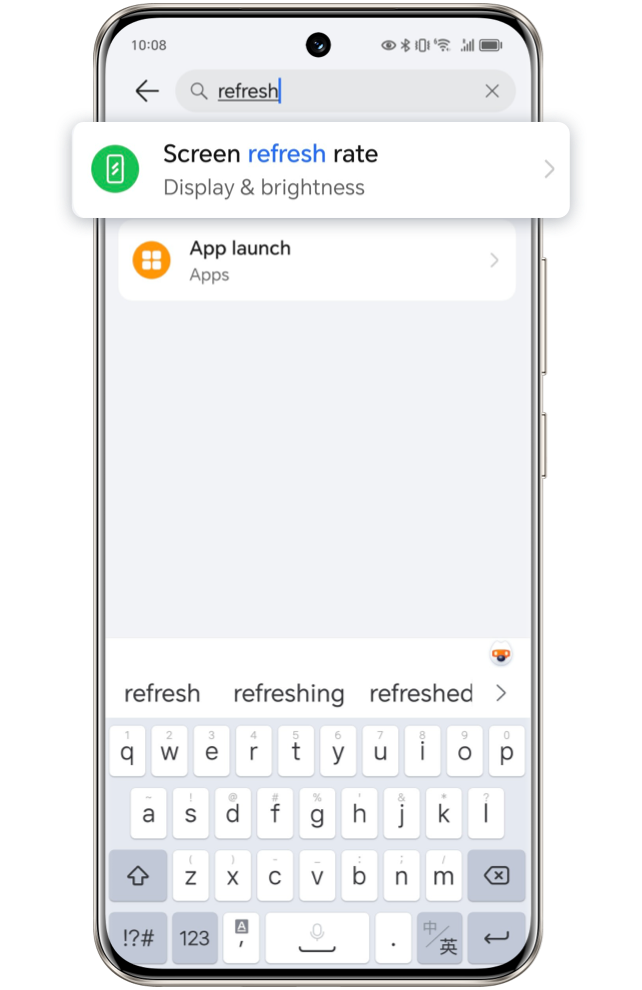
 Swipe
left to see the next step
Swipe
left to see the next step
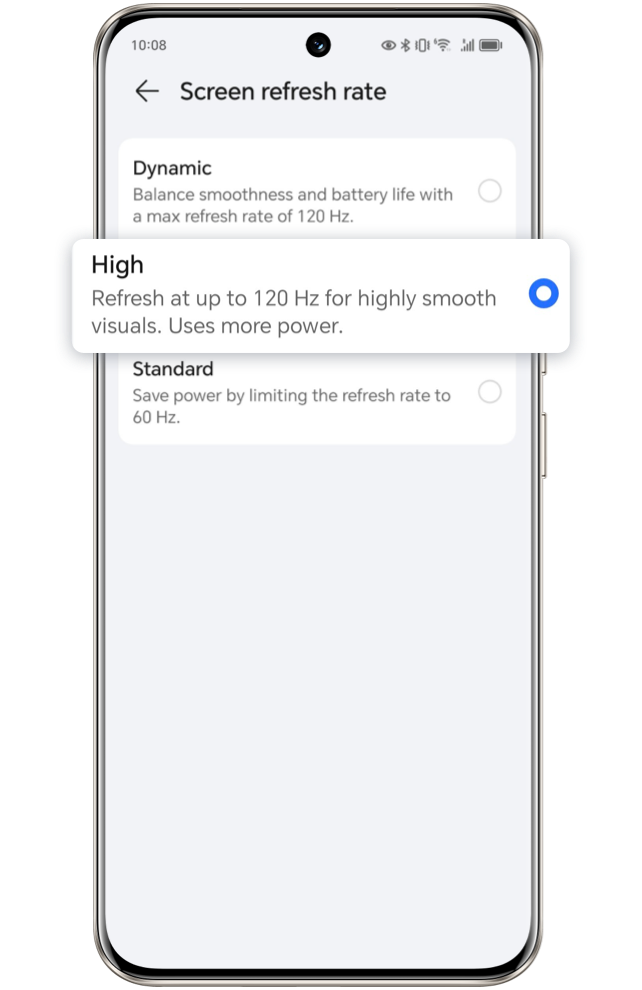
Click the arrow to check the next step
Still concern for your eye health regarding to game playing all the time and screen
viewing at night, set your refresh rate and enjoy your eye comfort journey NOW!
*This article take HONOR 90 as an example, other models and versions vary in functions, kindly refer
to actual.