Identify and localize issues faster with self-service log feedback.
*Applicable to MagicOS 8.0 and above
Step1
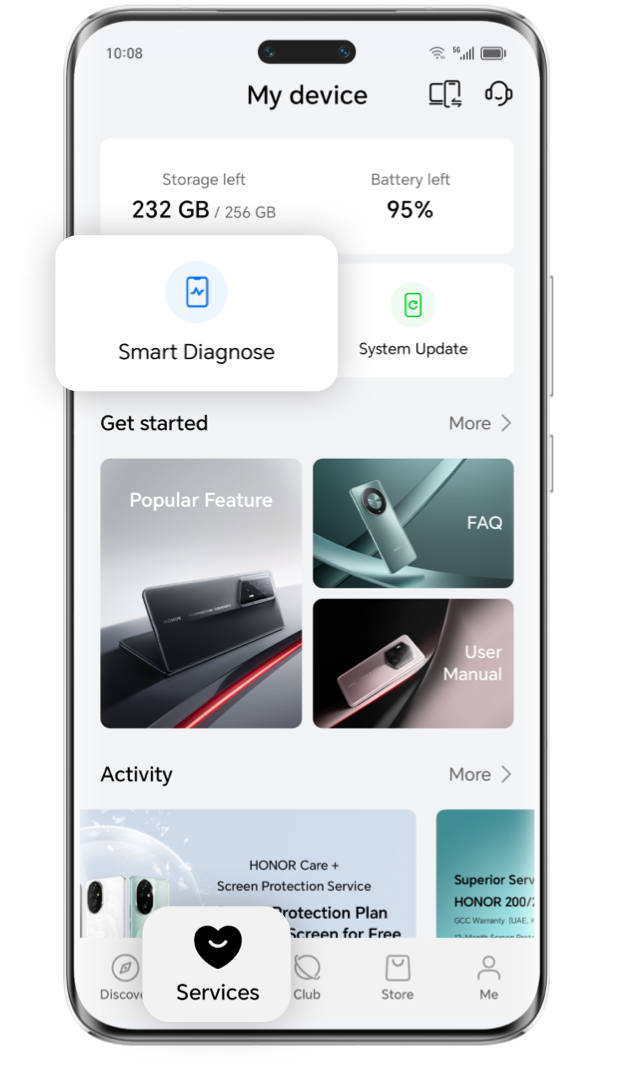
Tap "My HONOR" > "Services" > "Smart Diagnose"

Step2
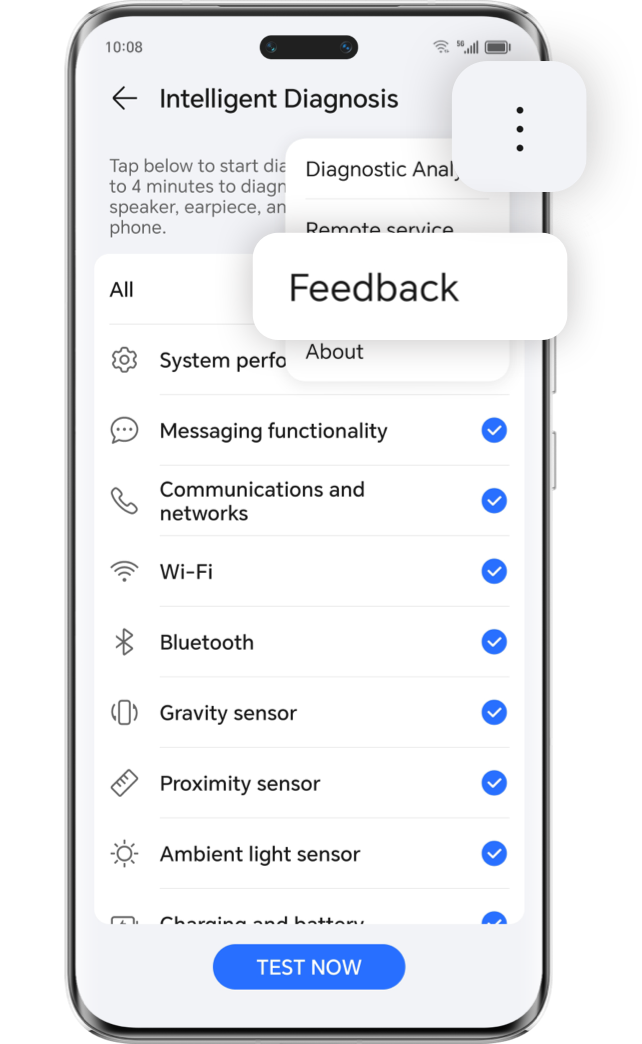
Tap "Three dots in upper right corner"> "Feedback" to enter the issues type selection page
Step3
Select the issue types (select by your actual issues, can choose multiple), tap "Enable Logs", and
tap "Next"
Step4
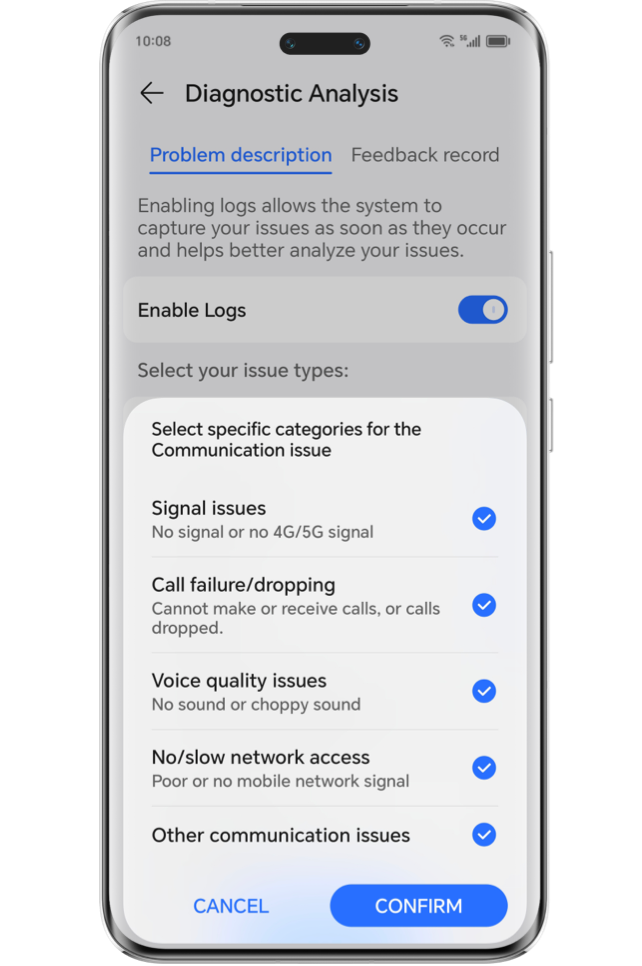
Communication issues will request more log information, please turn on the
corresponding option
Step5
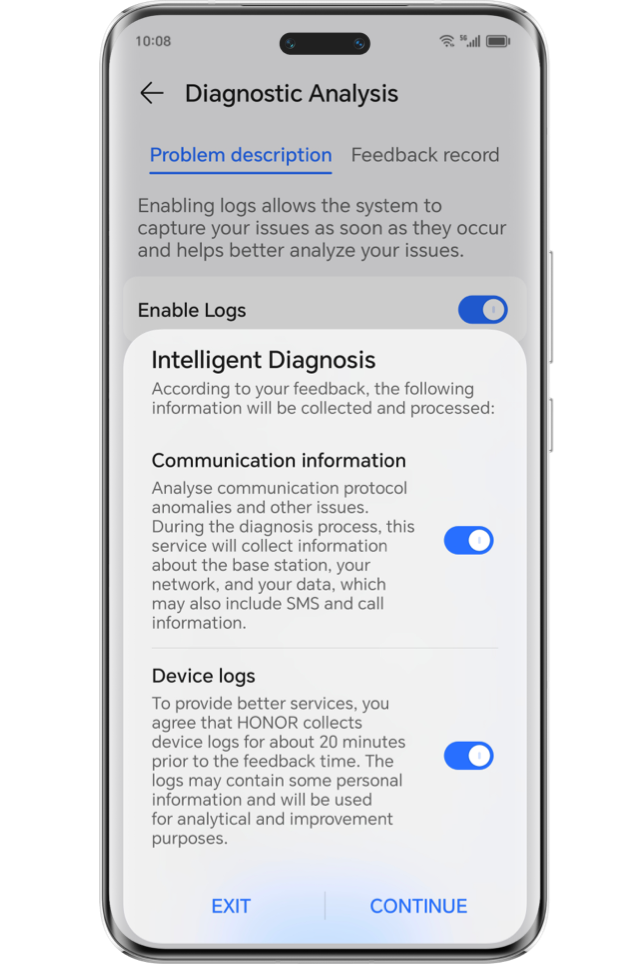
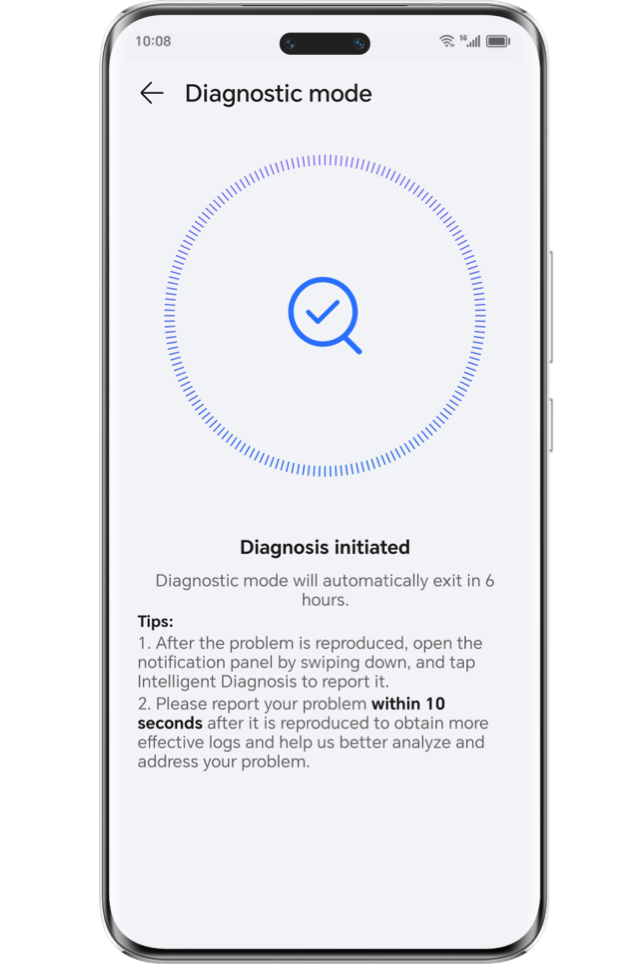
Please turn on the communication information and device logs options and click continue, then the diagnostic mode will be enabled.

Step6
Reproduce the issues in your phone (very important, ensure that you have reproduced the issues and record the reproduce time that we can find and analyses the issues logs)
Step7
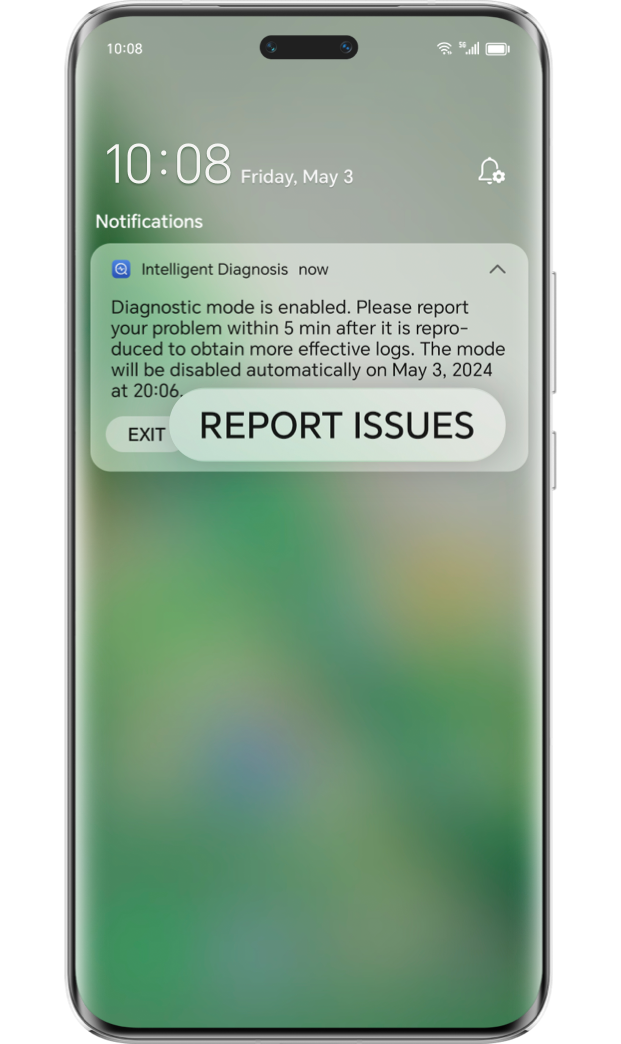
After the issues have been reproduced, slide down the notification bar and tap "REPORT ISSUES" to package the log
Step8
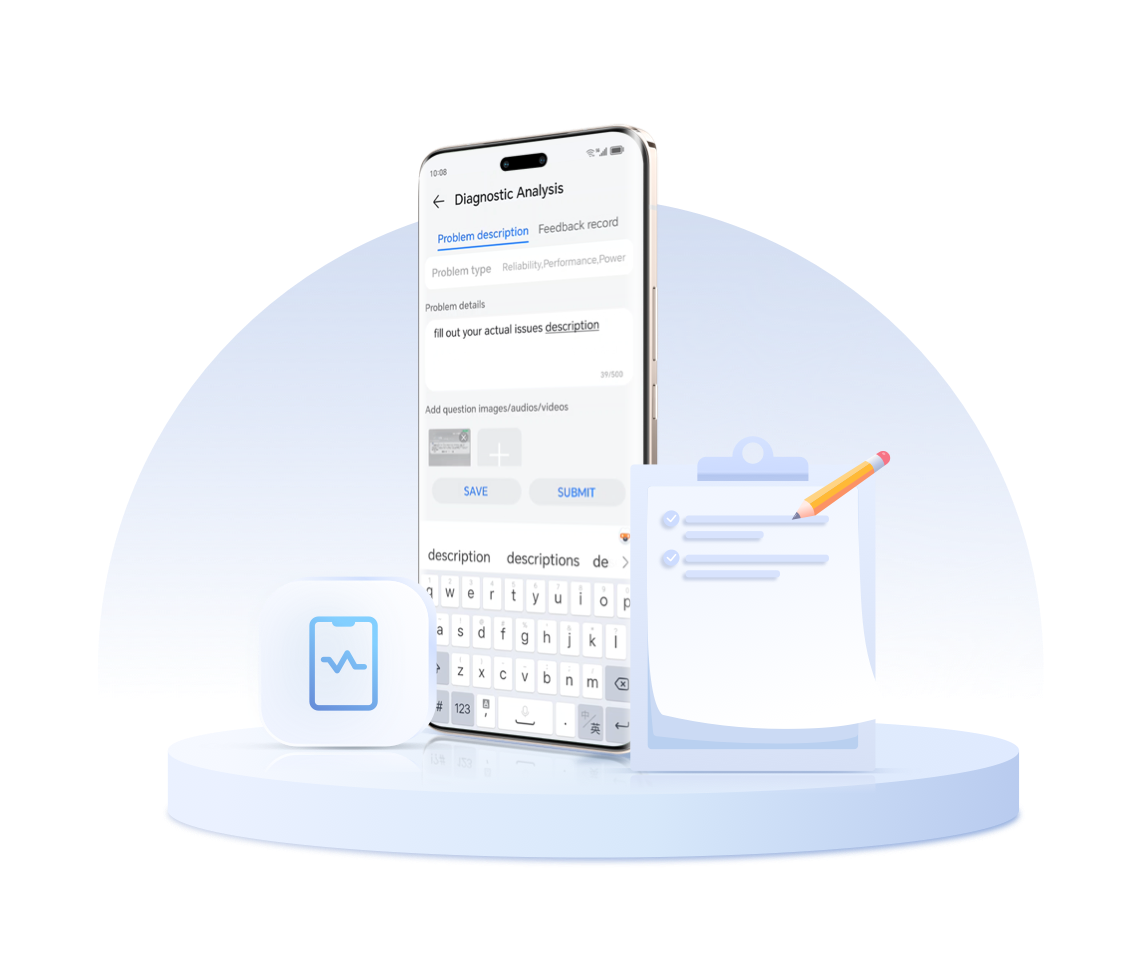
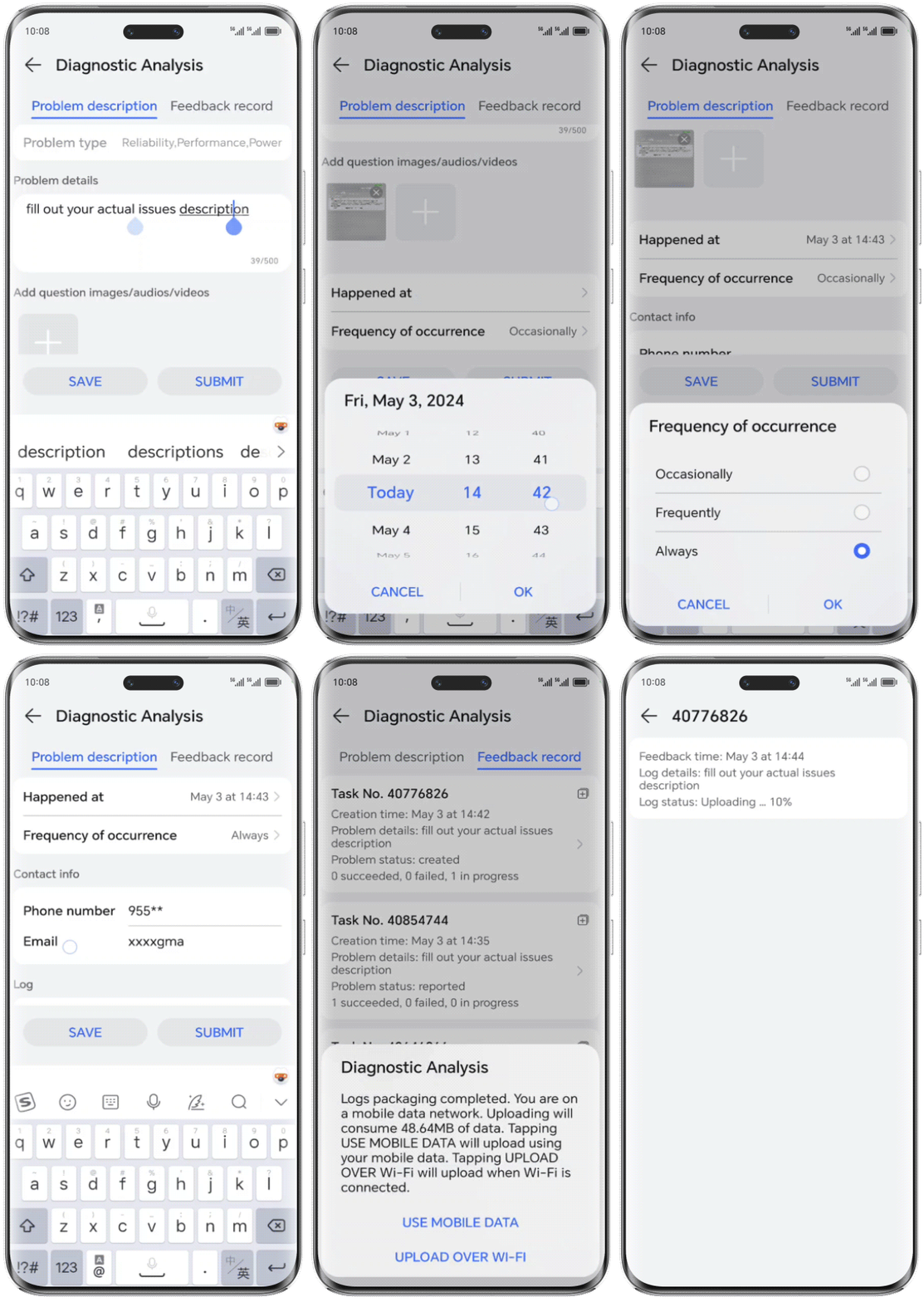
fill in the issue’s description, upload the screenshot or video, choose the issues happened time (we need an around time that you reproduce the issues to locate log), choose occurrence frequency and contact information, then you can click Submit
Step9
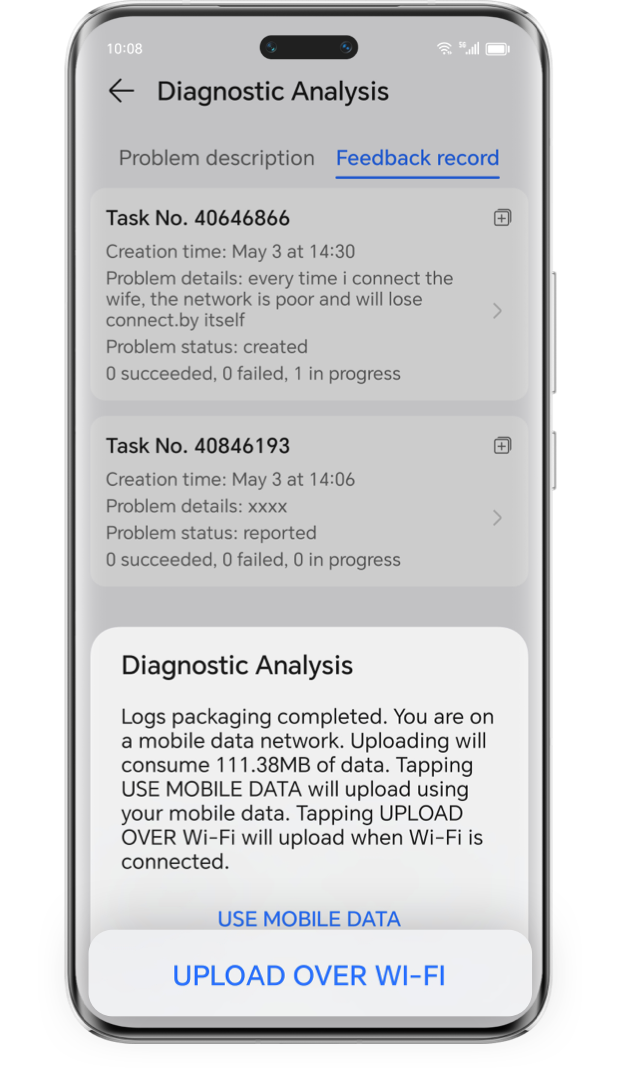
After the log is packaged, choose to upload it in the data or Wi-Fi environment.
Step10
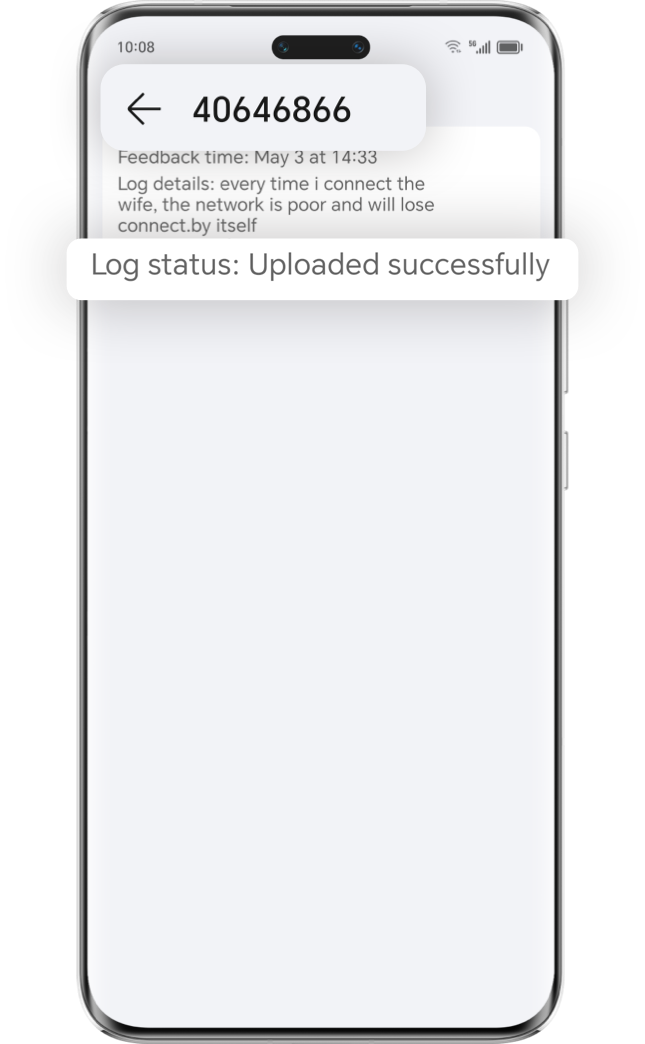
send your feedback number(like 40646866) in feedback record to our customer support (it will let us know which is your log)