
Overwhelmed by lengthy notes that take hours to organize?
HONOR AI Notes simplify content management and boost your efficiency
HONOR AI Notes simplify content management and boost your efficiency
AI Summary:
Instantly Capture
the Key Points
Instantly Capture
the Key Points


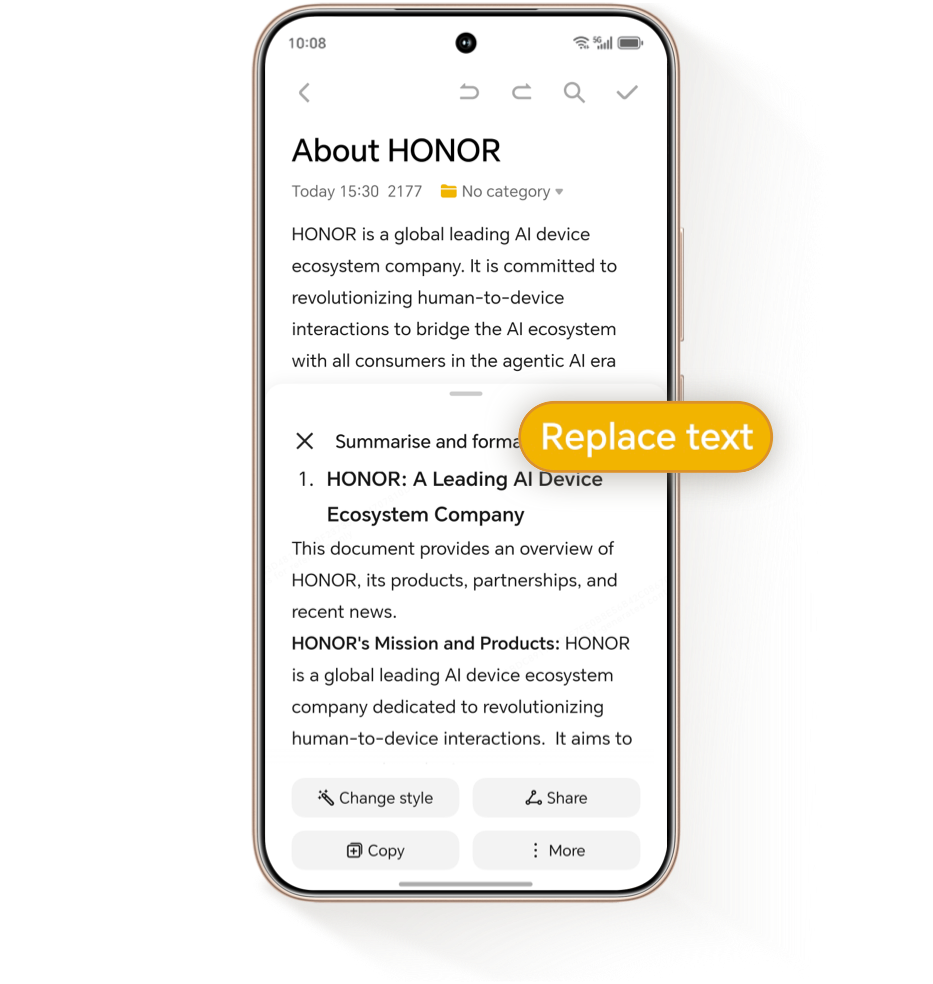
Transform lengthy notes into concise insights with AI Summary.
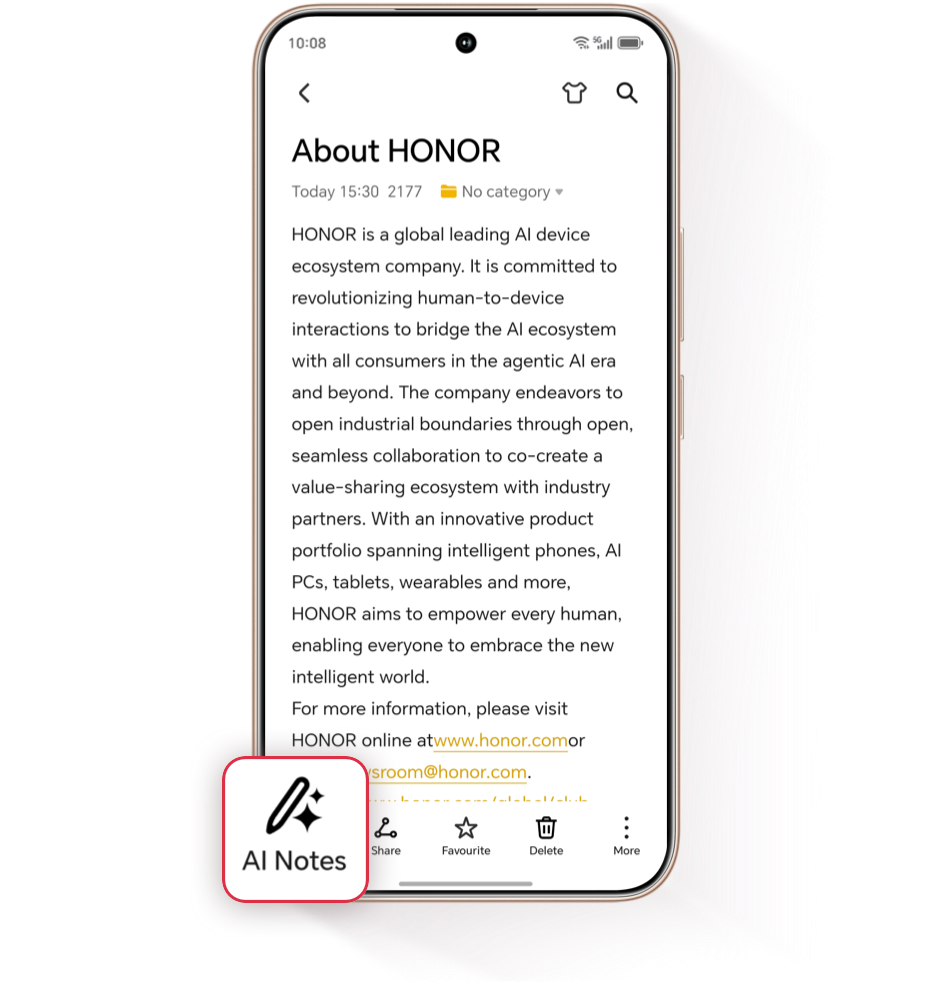
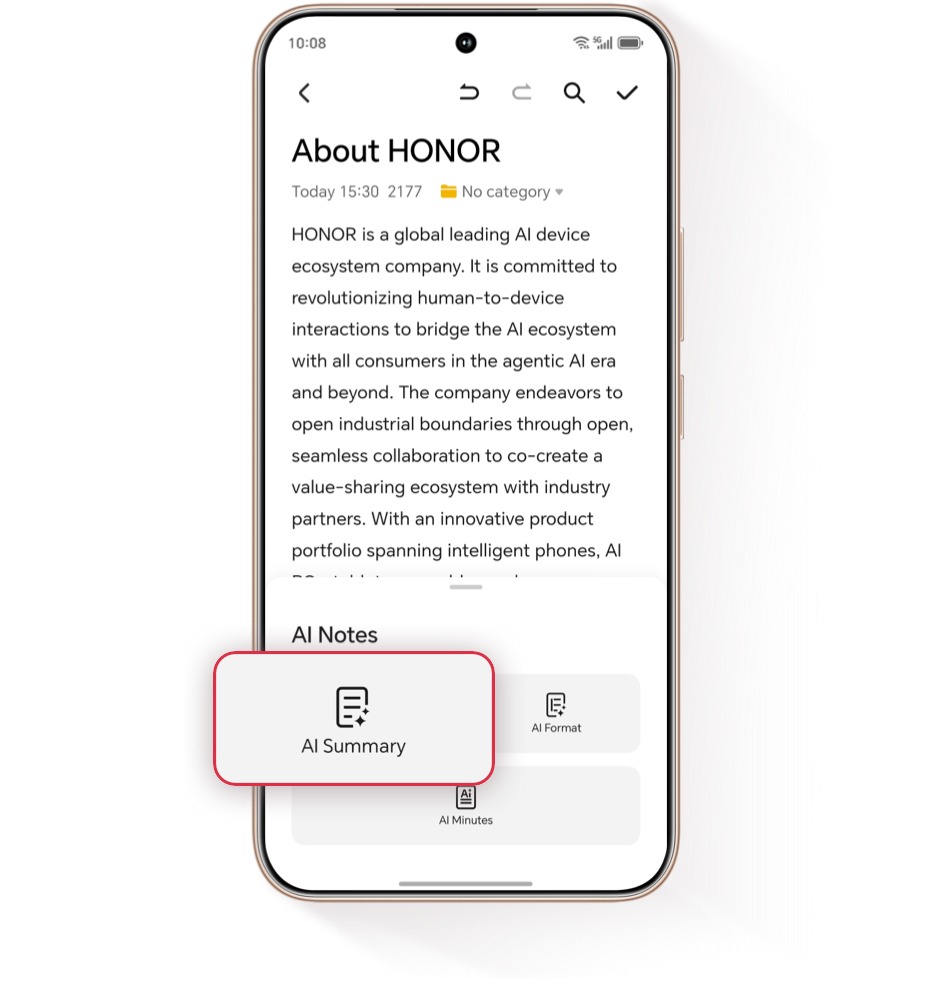
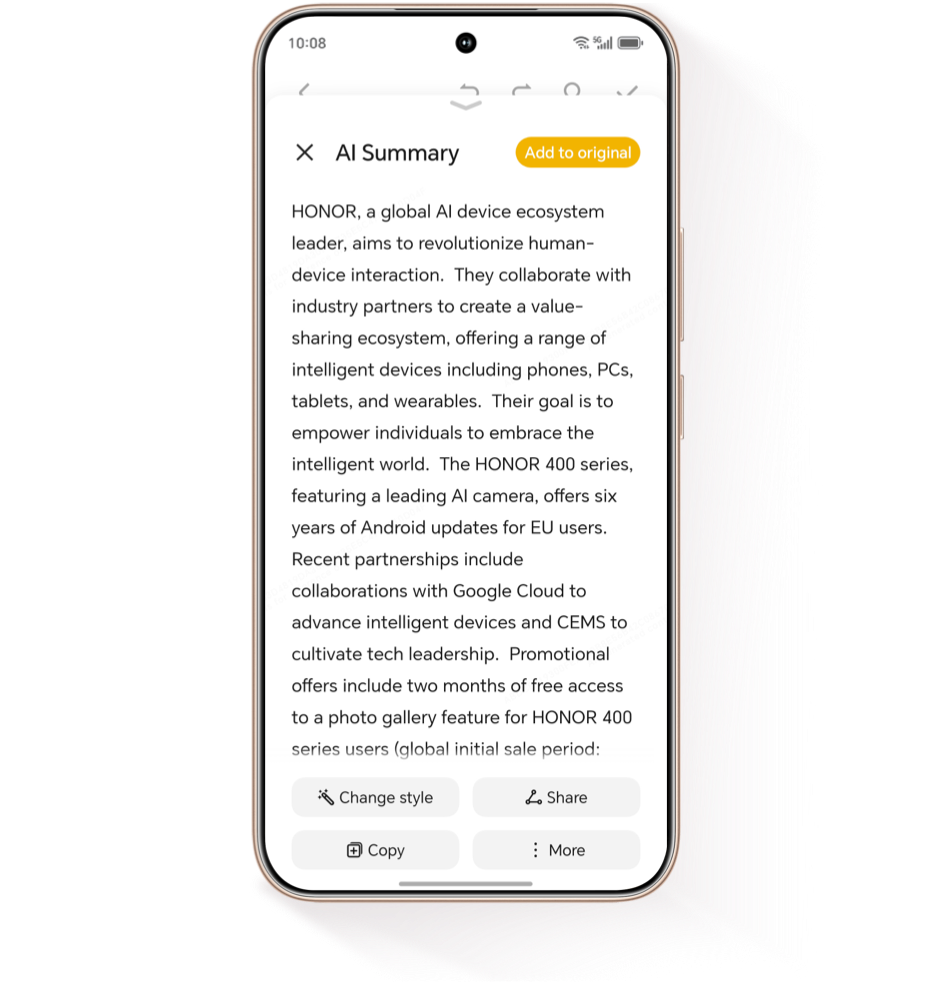
Simply open your desired note, tap  and open AI Notes, then select AI
Summary — the system will intelligently analyze the content and
extract key points to generate a structured, digestible summary.
and open AI Notes, then select AI
Summary — the system will intelligently analyze the content and
extract key points to generate a structured, digestible summary.
and open AI Notes, then select AI
Summary — the system will intelligently analyze the content and
extract key points to generate a structured, digestible summary.
AI Minutes:
Real-Time Transcription
& Auto Summary
Real-Time Transcription
& Auto Summary

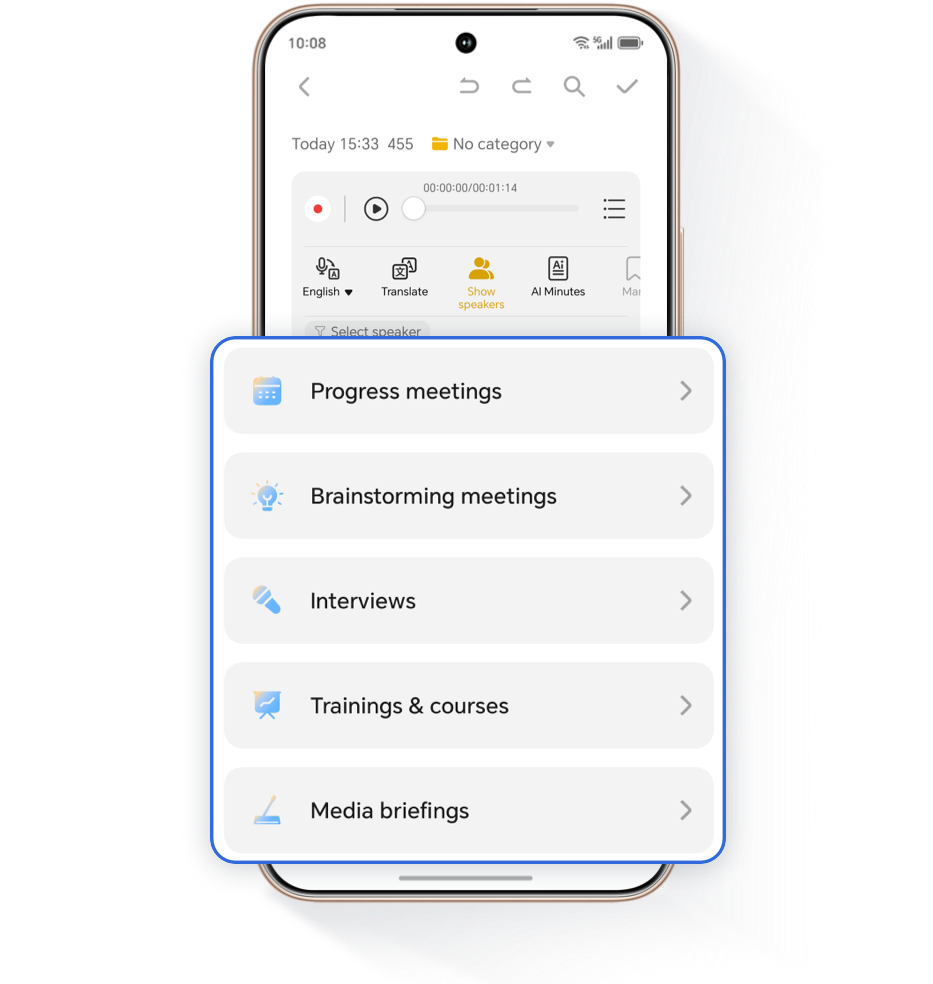
Need to record meetings? Use Audio Notes with real-time
multilingual transcription to overcome language barriers.
After your meeting, AI will automatically generate meeting minutes, highlighting essential points and eliminating the hassle of manual note-taking.
After your meeting, AI will automatically generate meeting minutes, highlighting essential points and eliminating the hassle of manual note-taking.


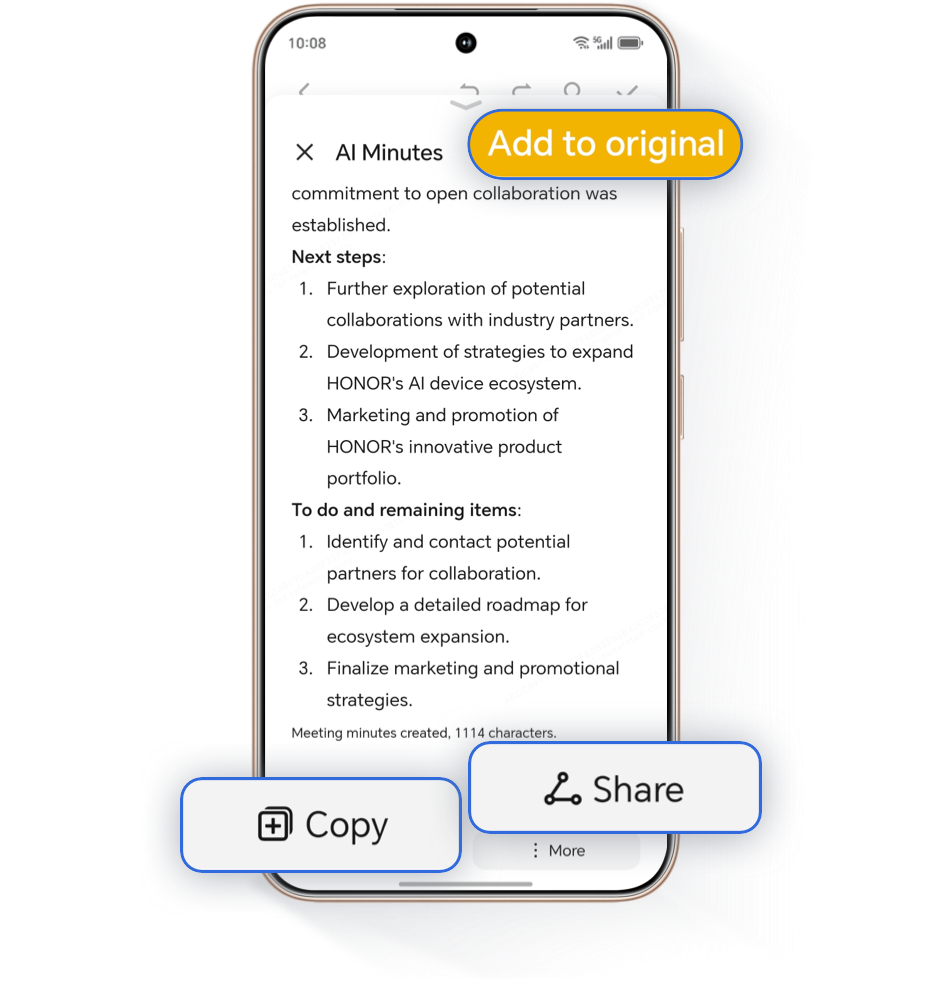

 to save.
AI Format:
Optimize Readability
in Seconds
Optimize Readability
in Seconds


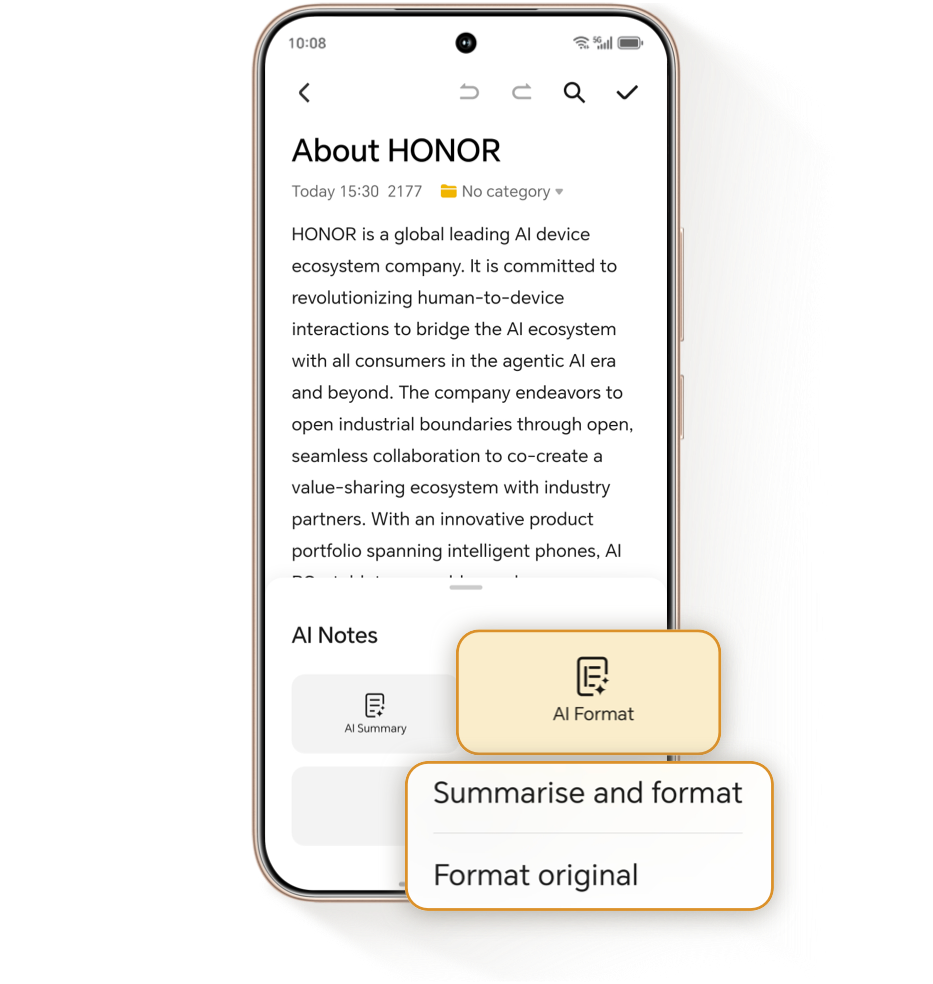
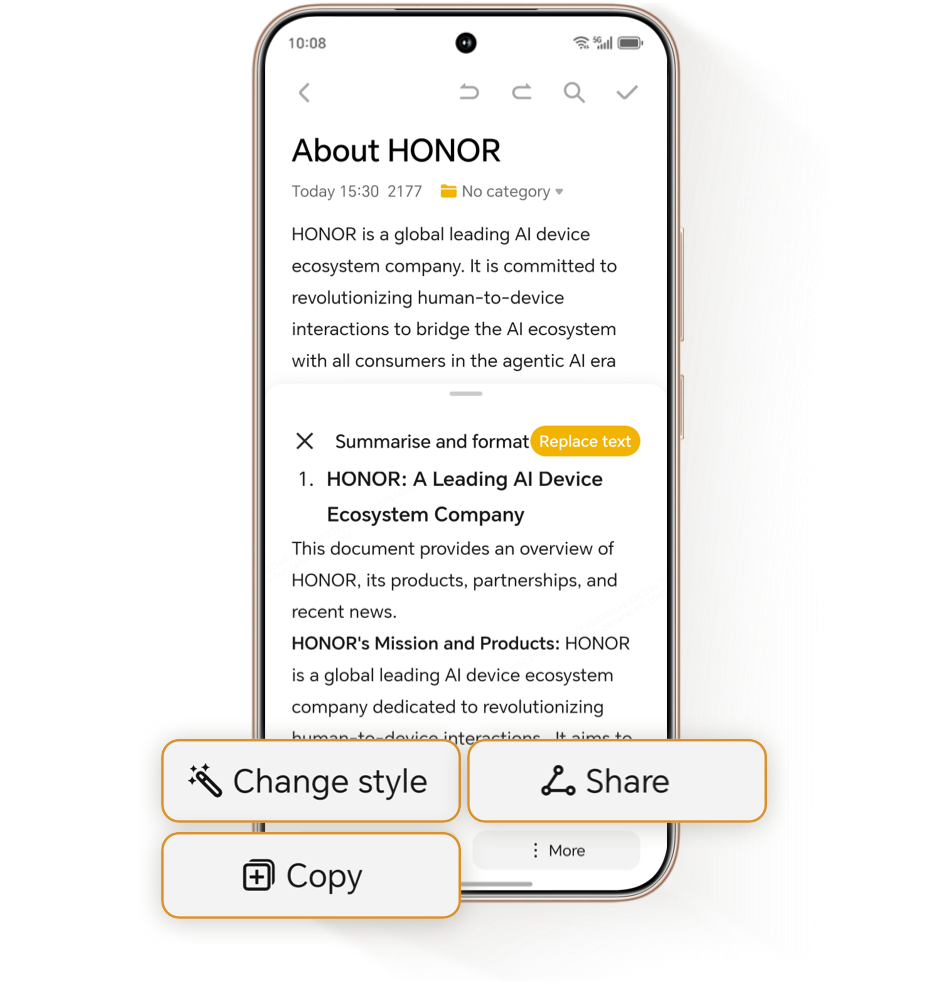
If your notes appear dense or difficult to read, use the AI Format
feature to enhance structure and improve clarity through smart,, adaptive
formatting.
*AI Notes is available only on supported HONOR models. Please check your device compatibility.
*AI Summary and AI Minutes require a minimum of 200 words in the original text to function.
*AI Format requires at least 20 words in the original text to activate.
*AI Summary and AI Minutes require a minimum of 200 words in the original text to function.
*AI Format requires at least 20 words in the original text to activate.
HONOR AI Notes: Get Ahead at Work and in
Study with Intelligent Productivity
Study with Intelligent Productivity
Overwhelmed by lengthy notes that take hours to organize?
HONOR AI Notes simplify content management and boost your efficiency
HONOR AI Notes simplify content management and boost your efficiency
AI Summary:
Instantly Capture
the Key Points
Instantly Capture
the Key Points
Transform lengthy notes into concise insights with AI Summary.

Simply open your desired note, tap and open AI Notes, then select AI
Summary — the system will intelligently analyze the content and
extract key points to generate a structured, digestible summary.
and open AI Notes, then select AI
Summary — the system will intelligently analyze the content and
extract key points to generate a structured, digestible summary.
AI Minutes:
Real-Time Transcription
& Auto Summary
Real-Time Transcription
& Auto Summary
Need to record meetings? Use Audio Notes with real-time
multilingual transcription to overcome language barriers.
After your meeting, AI will automatically generate meeting minutes, highlighting essential points and eliminating the hassle of manual note-taking.
After your meeting, AI will automatically generate meeting minutes, highlighting essential points and eliminating the hassle of manual note-taking.
AI Format:
Optimize Readability
in Seconds
Optimize Readability
in Seconds
If your notes appear dense or difficult to read, use the AI Format
feature to enhance structure and improve clarity through smart,, adaptive
formatting.
*AI Notes is available only on supported HONOR models. Please check your device
compatibility.
*AI Summary and AI Minutes require a minimum of 200 words in the original text to function.
*AI Format requires at least 20 words in the original text to activate.
*AI Summary and AI Minutes require a minimum of 200 words in the original text to function.
*AI Format requires at least 20 words in the original text to activate.
HONOR AI Notes: Get Ahead at Work and in
Study with Intelligent Productivity
Study with Intelligent Productivity