Good news for people who get carsick!
HONOR Motion Sickness Relief is here
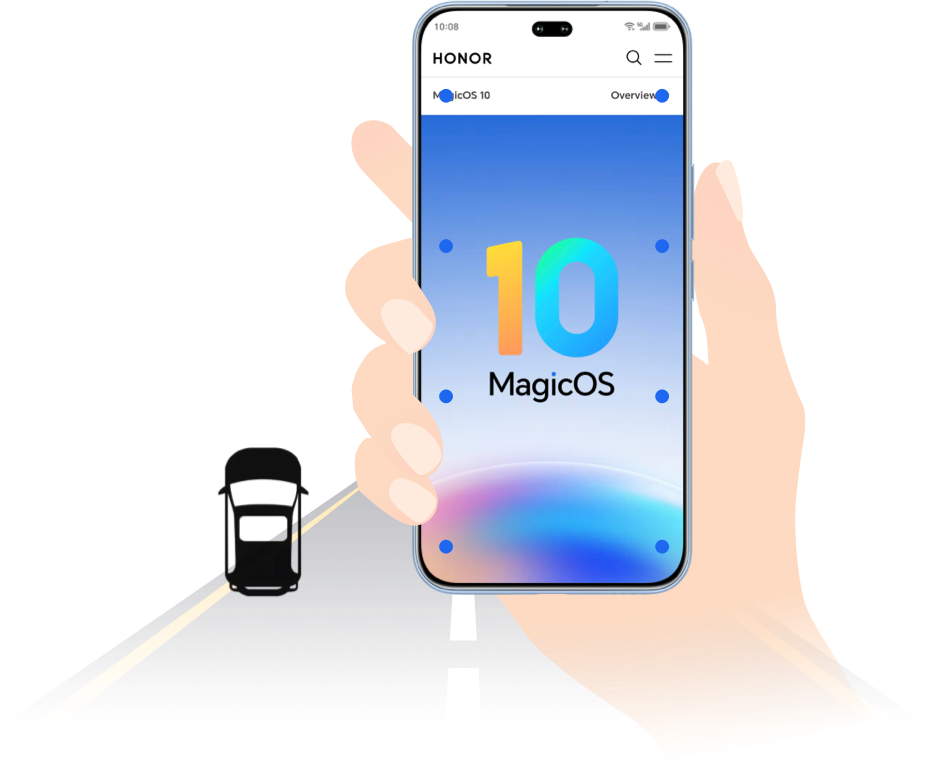
The latest Motion Sickness Relief feature from HONOR brings good news for those who suffer from carsickness. By simulating the motion state of the vehicle, it helps relieve carsickness symptoms.
Enable Motion Sickness Relief


Method 1:
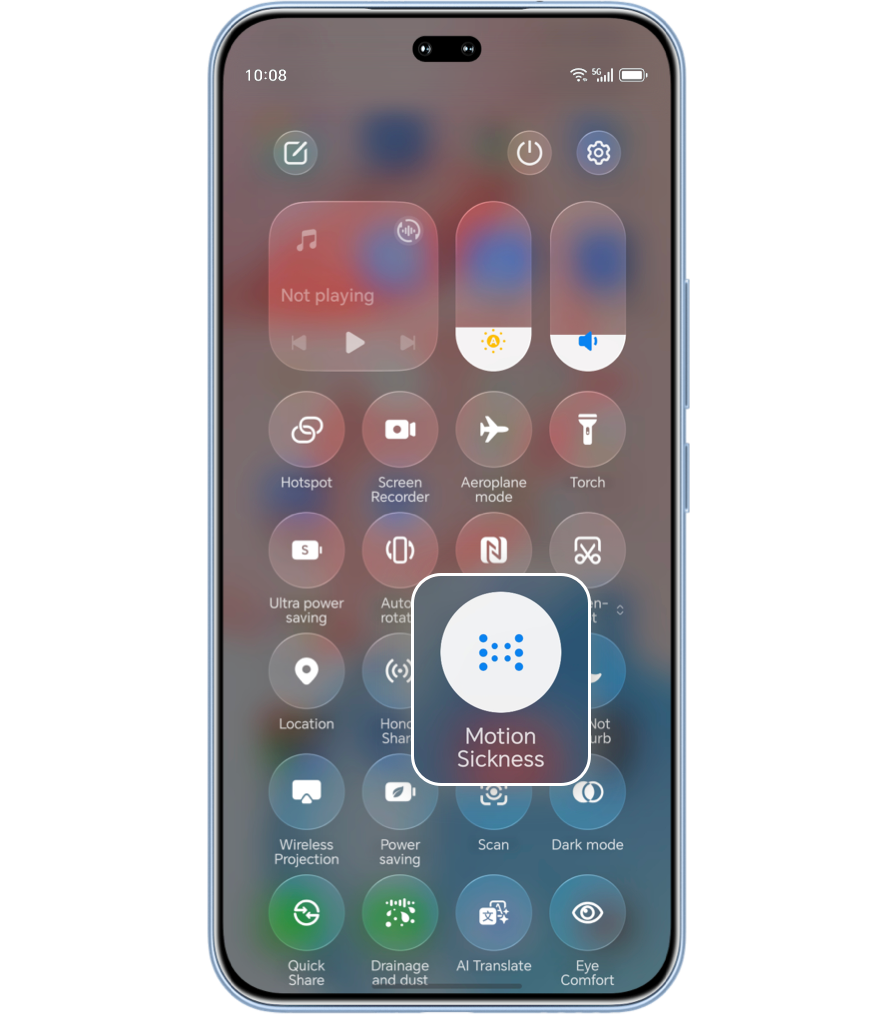
Enable via Control Center: Swipe down from the top right of the
screen to open Control Center, swipe down further, then turn it  on; (Long press the
icon to enter the Motion Sickness Relief setting page).
on; (Long press the
icon to enter the Motion Sickness Relief setting page).
Method 2:
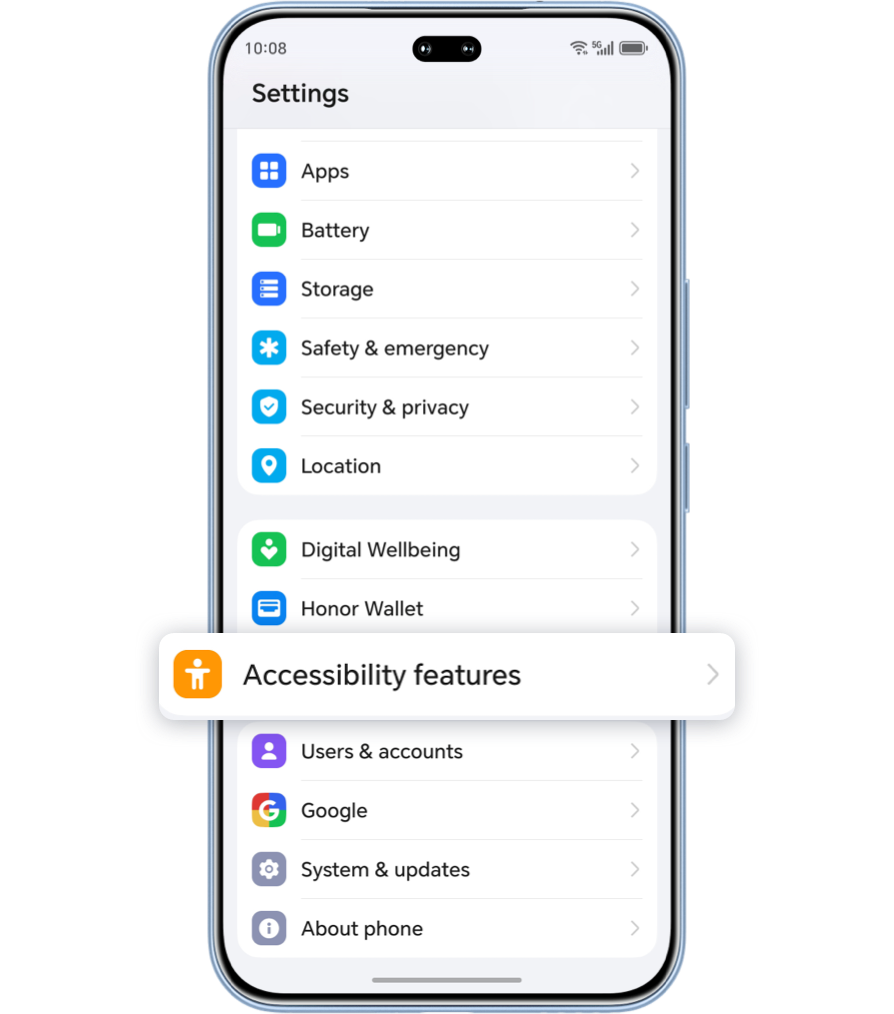
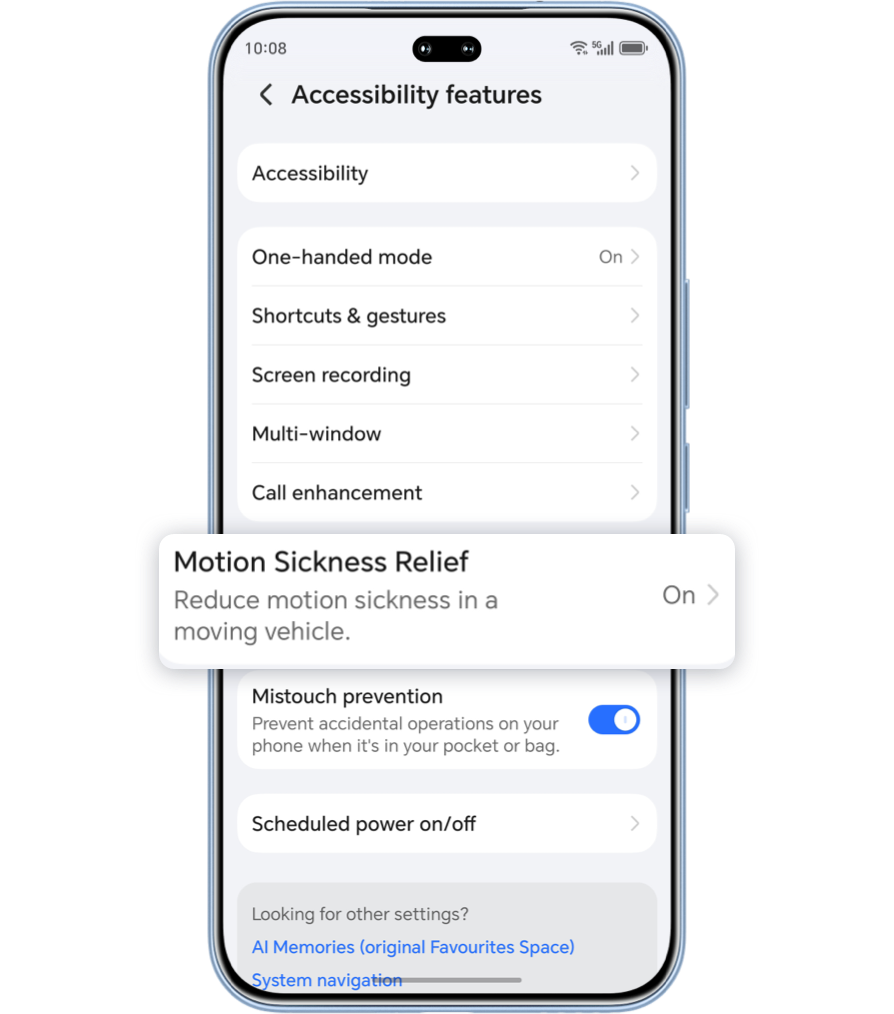
Enable via Settings: Go to Settings > Accessibility features > Motion Sickness Relief and turn on the Motion Sickness Relief switch.
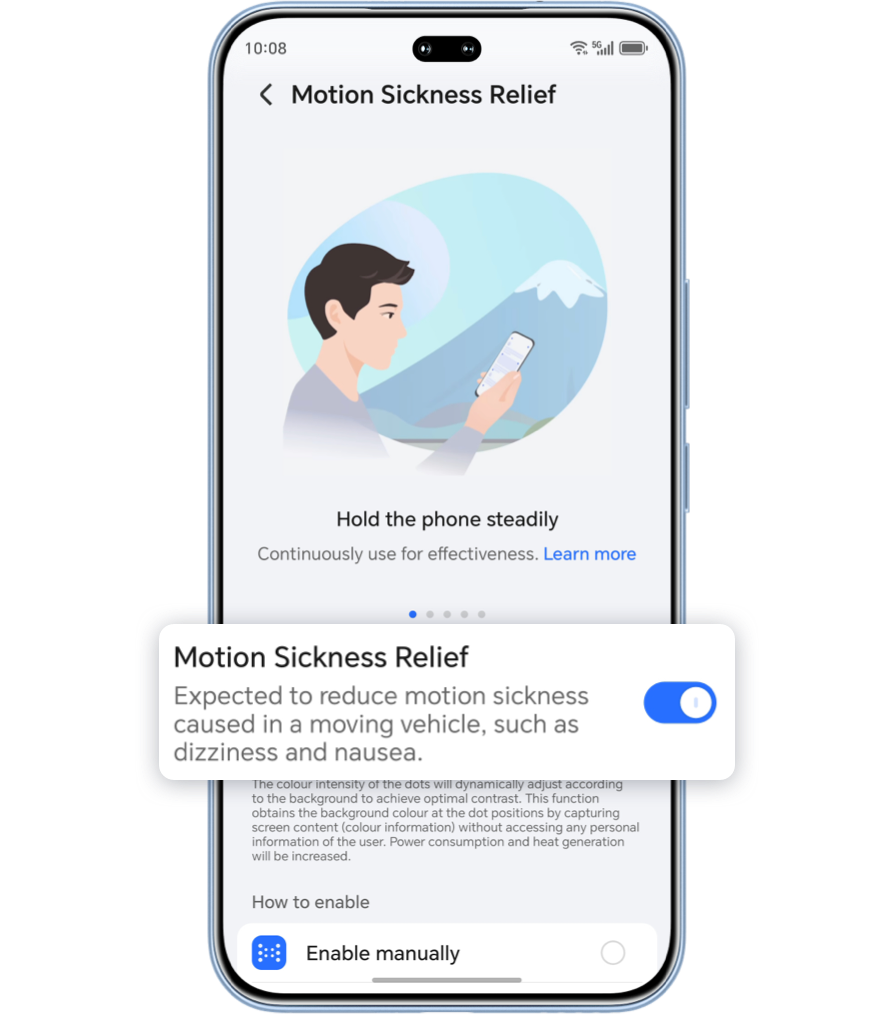
Motion Sickness Relief
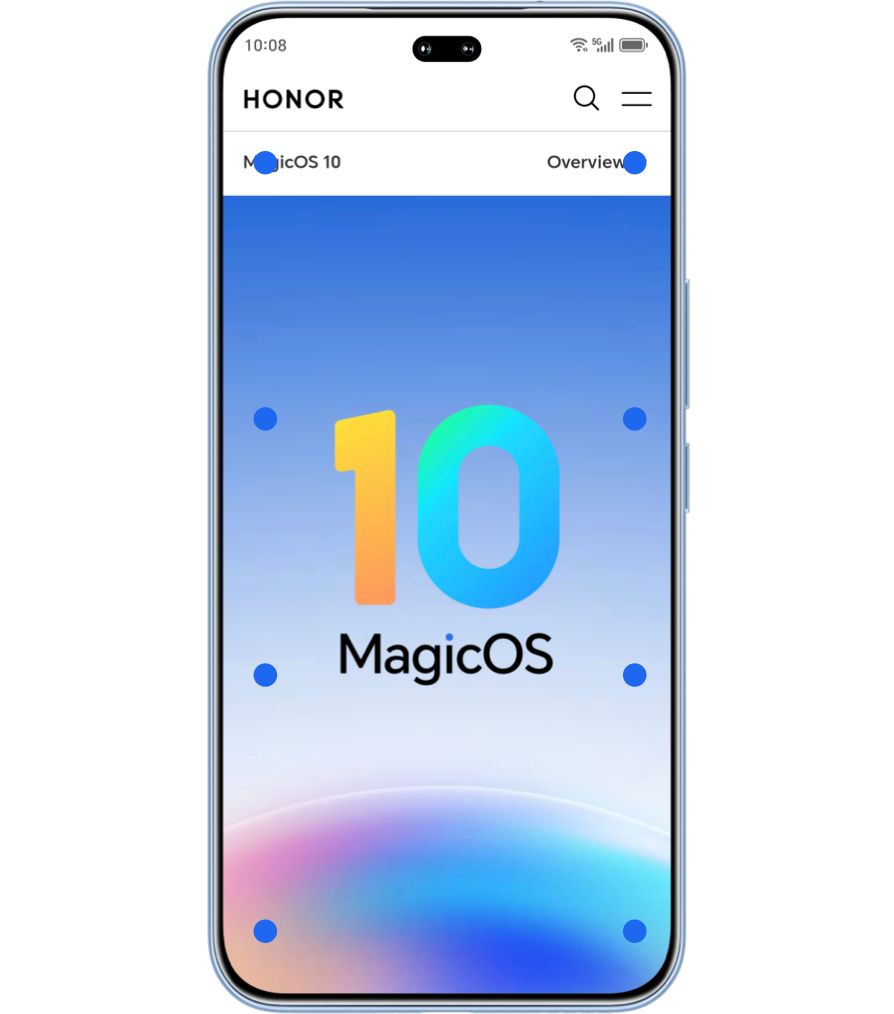
After enabling Motion Sickness Relief, dots will appear on both sides of the screen to simulate the vehicle's movements—like acceleration, deceleration, turning, lane changing, bumping, and swaying—to help alleviate carsickness.
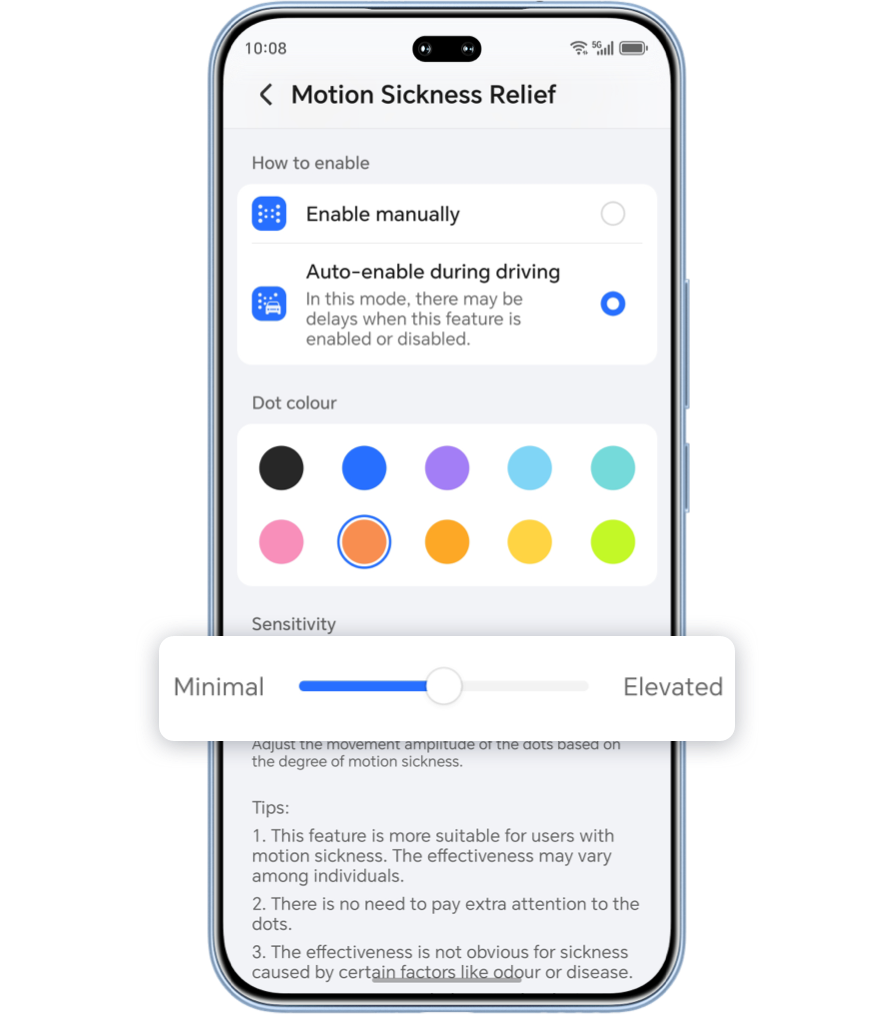
You can also adjust the amplitude of the dots' movement by sliding the sensitivity bar based on your personal response.
Usage Suggestions

During use, try to hold the device steadily and keep your eyes and the phone relatively stable for better relief from carsickness.
If the effect is not as expected, try adjusting the sensitivity settings to find the most comfortable level.
Motion sickness symptoms are related to environmental factors such as air circulation, temperature and humidity, odors, and noise. Please refer to your actual experience.
If using this feature continuously does not relieve carsickness, repeated attempts are not recommended.
*Support for the above features may vary by device model/version. Please refer to
your
actual experience.
*This article uses MagicOS 10 as an example; Support may vary by model and version. Please refer to your actual experience for details.
Good news for people who get carsick!
HONOR Motion Sickness Relief is here
The latest Motion Sickness Relief feature from HONOR brings good news for those who suffer from carsickness. By simulating the motion state of the vehicle, it helps relieve carsickness symptoms.
Enable Motion Sickness Relief
Method 1:
Enable via Control Center: Swipe down from the top right of the
screen to open Control Center, swipe down further, then turn it on; (Long press the
icon to enter the Motion Sickness Relief setting page).
Method 2:
Enable via Settings: Go to Settings > Accessibility features > Motion Sickness Relief and turn on the Motion Sickness Relief switch.

Motion Sickness Relief
After enabling Motion Sickness Relief, dots will appear on both sides of the screen to simulate the vehicle's movements—like acceleration, deceleration, turning, lane changing, bumping, and swaying—to help alleviate carsickness.
You can also adjust the amplitude of the dots' movement by sliding the sensitivity bar based on your personal response.
Usage Suggestions
During use, try to hold the device steadily and keep your eyes and the phone relatively stable for better relief from carsickness.
If the effect is not as expected, try adjusting the sensitivity settings to find the most comfortable level.
Motion sickness symptoms are related to environmental factors such as air circulation, temperature and humidity, odors, and noise. Please refer to your actual experience.
If using this feature continuously does not relieve carsickness, repeated attempts are not recommended.
*Support for the above features may vary by device model/version. Please refer to
your
actual experience.
*This article uses MagicOS 10 as an example; Support may vary by model and version. Please refer to your actual experience for details.