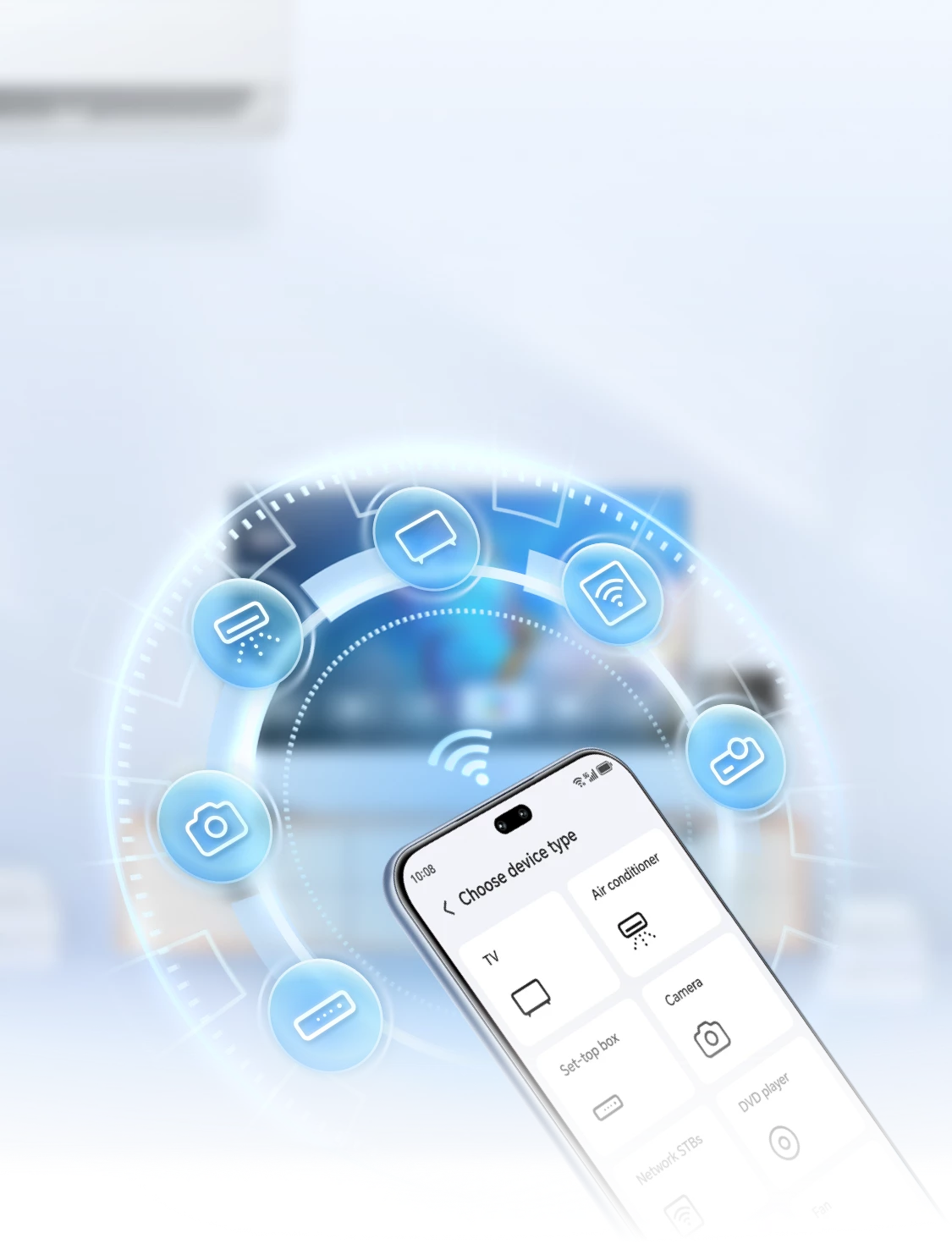
Can't find the remote when you want to turn on the air conditioner or TV? Try using your phone as a smart remote to control all your home appliances with just one tap!
Phone as Remote
Convenient Appliance Control

No need to get up to search for the remote while binge-watching or adjusting the room temperature. With the Smart Remote App, your phone can become a remote control, enabling you to directly control various home appliances for quick on/off operations, including TVs, air conditioners, set-top boxes, DVD players, cameras, projectors, and network boxes, etc.
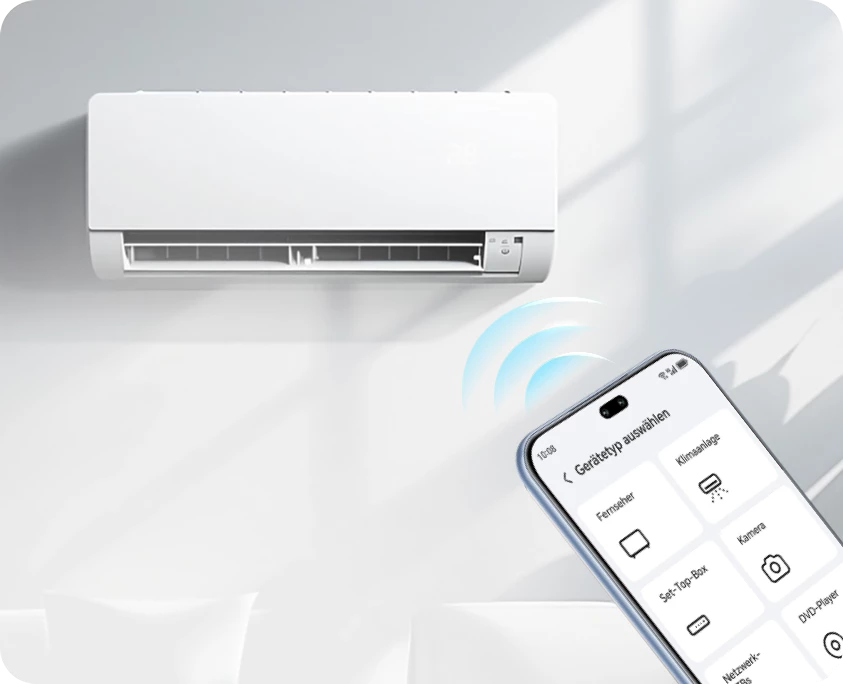
*The phone remote control cannot set a timer for the air conditioner. Please use the product’s original remote control for this function.
Three Simple Steps to Add and Use Your Phone as a Remote

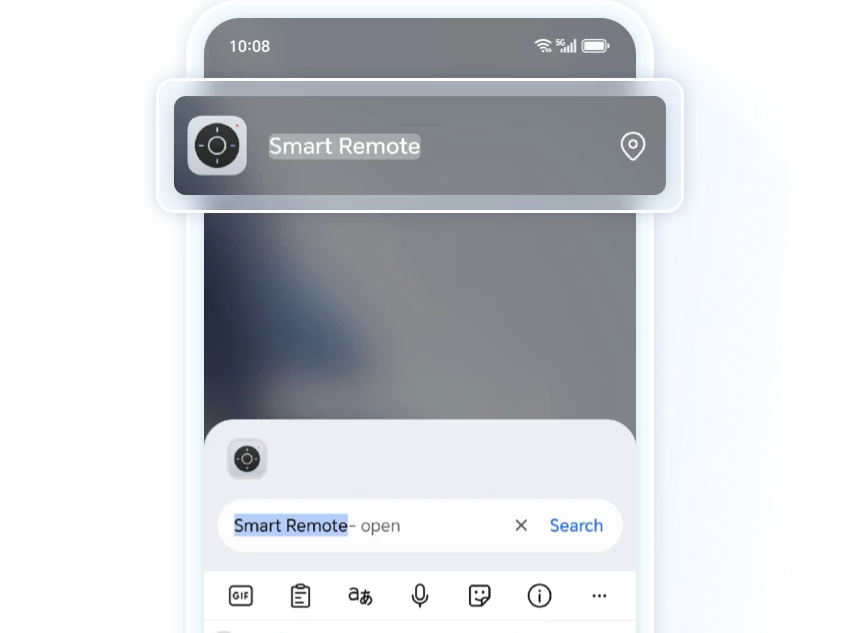
Swipe down from the middle of the phone's home screen to open the search bar,
search for Smart Remote Control, or go to Utilities > Smart
Remote Control>  , select the type and brand of the remote.
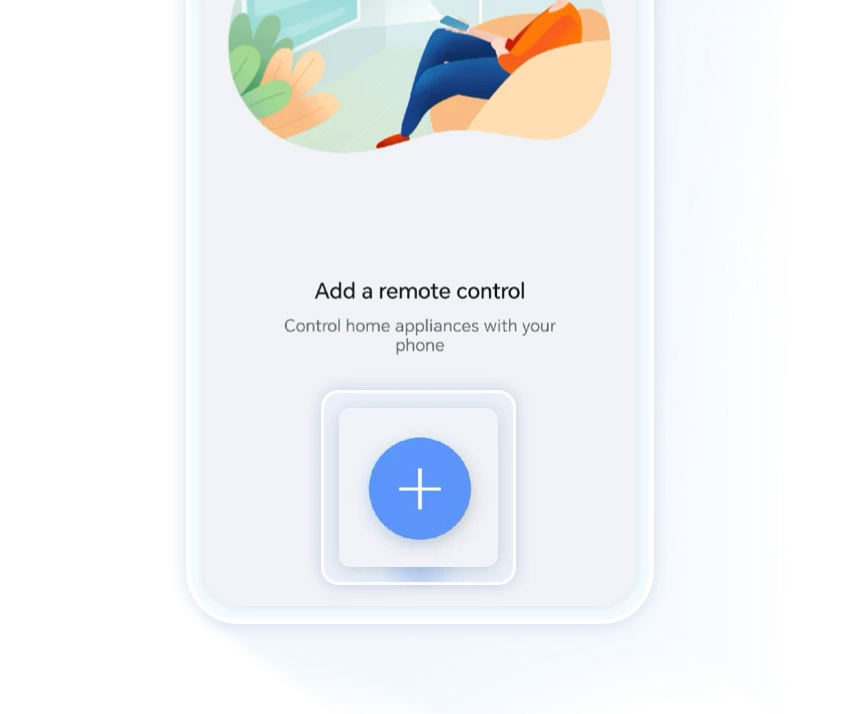
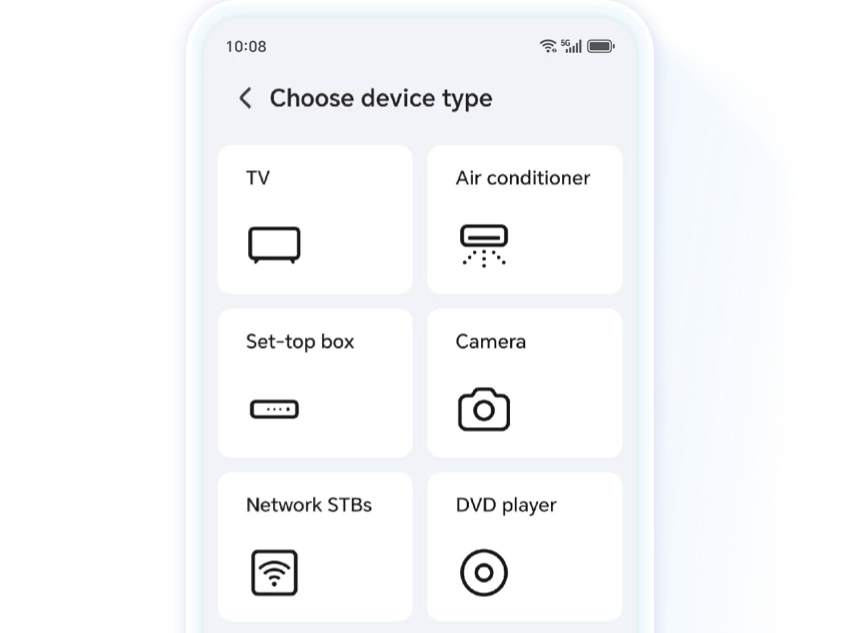


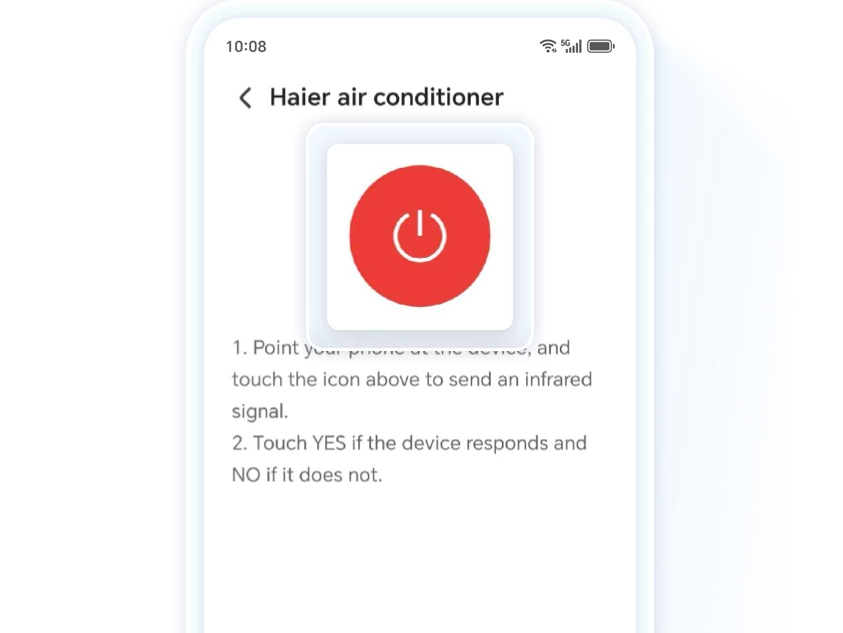
Align the infrared emitter at the top of your phone with the appliance. Follow
the on-screen prompts to add and save the appliance you want to control. Once
the appliance has been successfully added,tap  to begin
controlling it.
to begin
controlling it.

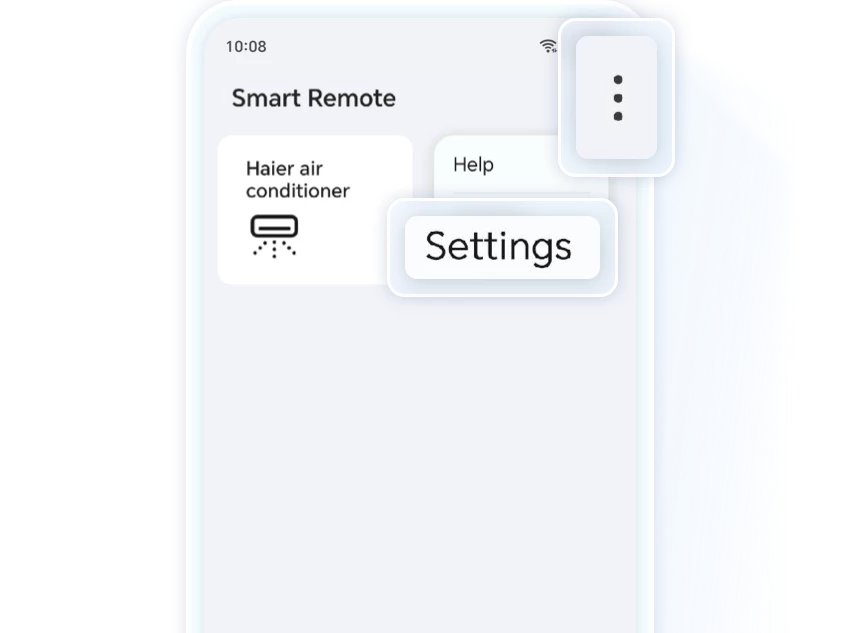
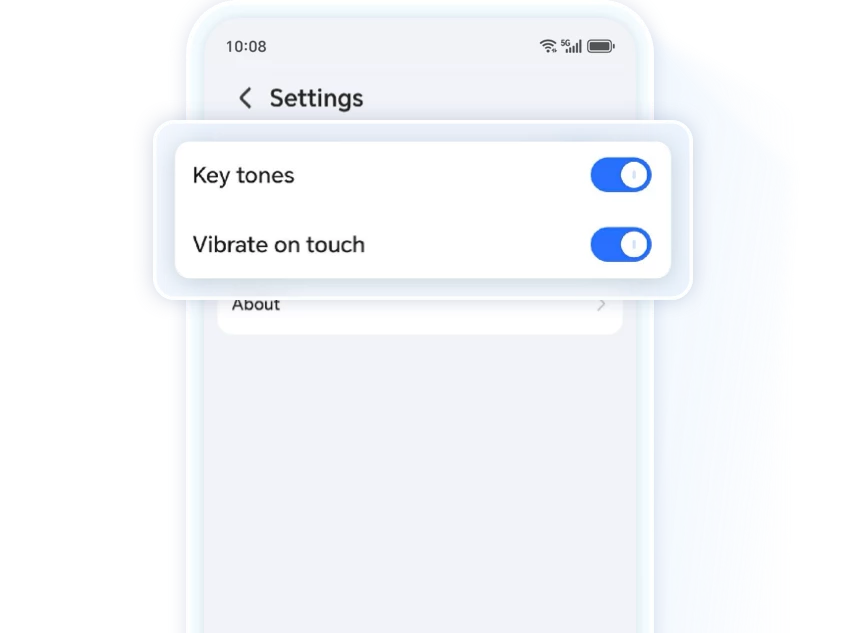
Tap the  in the
top-right corner > Settings to turn on or off the key press sound
and vibration feedback.
in the
top-right corner > Settings to turn on or off the key press sound
and vibration feedback.
What to Do if the Phone Remote Control Fails?
· Check if the phone remote control matches the appliance type and brand
Not all remote controls are compatible with different brands or models of appliances. Failing to select the correct brand may lead to remote control failure. Please re-add or switch to the appropriate brand. Some brands do not support infrared remote control. For more information, please refer to the product manual or contact customer service.
· Ensure the phone is kept at a reasonable distance from the appliance
Since the phone uses infrared technology for remote control, its transmission power is relatively low to save energy, resulting in a shorter effective range compared to traditional remotes. When using the Smart Remote App, it's recommended to keep the phone within 7 meters of the appliance to reduce the likelihood of failure.
·Adjust the phone's remote control angle and ensure there are no obstructions between the phone and the appliance
The phone's infrared sensor is built-in, and the infrared emitter is relatively small, resulting in a narrower remote control angle compared to traditional remotes. When using the phone as a remote, please align the infrared emitter at the top of the phone directly with the appliance, keeping the angle deviation within 0 to 45 degrees. Ensure there are no obstructions between the phone and the appliance during operation.
*This feature requires a device with an infrared sensor. You can check the product specifications on HONOR official website.
One phone is all you need to control your appliances,
turning them on and off with ease.
Your smart life begins now.
Can't find the remote when you want to turn on the air conditioner or TV? Try using your phone as a smart remote to control all your home appliances with just one tap!
Phone as Remote
Convenient Appliance Control
No need to get up to search for the remote while binge-watching or adjusting the room temperature. With the Smart Remote App, your phone can become a remote control, enabling you to directly control various home appliances for quick on/off operations, including TVs, air conditioners, set-top boxes, DVD players, cameras, projectors, and network boxes, etc.
*The phone remote control cannot set a timer for the air conditioner. Please use the product’s original remote control for this function.
Three Simple Steps to Add and Use Your Phone as a Remote
Swipe down from the middle of the phone's home screen to open the search bar,
search for Smart Remote Control, or go to Utilities > Smart
Remote Control> , select the type and brand of the remote.

Align the infrared emitter at the top of your phone with the appliance. Follow
the on-screen prompts to add and save the appliance you want to control. Once
the appliance has been successfully added,tap to begin
controlling it.
Tap the in the
top-right corner > Settings to turn on or off the key press sound
and vibration feedback.
What to Do if the Phone Remote Control Fails?
· Check if the phone remote control matches the appliance type and brand
Not all remote controls are compatible with different brands or models of appliances. Failing to select the correct brand may lead to remote control failure. Please re-add or switch to the appropriate brand. Some brands do not support infrared remote control. For more information, please refer to the product manual or contact customer service.
· Ensure the phone is kept at a reasonable distance from the appliance
Since the phone uses infrared technology for remote control, its transmission power is relatively low to save energy, resulting in a shorter effective range compared to traditional remotes. When using the Smart Remote App, it's recommended to keep the phone within 7 meters of the appliance to reduce the likelihood of failure.
·Adjust the phone's remote control angle and ensure there are no obstructions between the phone and the appliance
The phone's infrared sensor is built-in, and the infrared emitter is relatively small, resulting in a narrower remote control angle compared to traditional remotes. When using the phone as a remote, please align the infrared emitter at the top of the phone directly with the appliance, keeping the angle deviation within 0 to 45 degrees. Ensure there are no obstructions between the phone and the appliance during operation.
*This feature requires a device with an infrared sensor. You can check the product specifications on HONOR official website.
One phone is all you need to control your appliances,
turning them on and off with ease.
Your smart life begins now.