
With the HONOR App Twin setting, you can log in to the same app using two different accounts simultaneously.

Turn on the App twin (1)
Open Settings > Apps > App Twin

Turn on the App twin (2)
Slide the to the right to enable the App twin
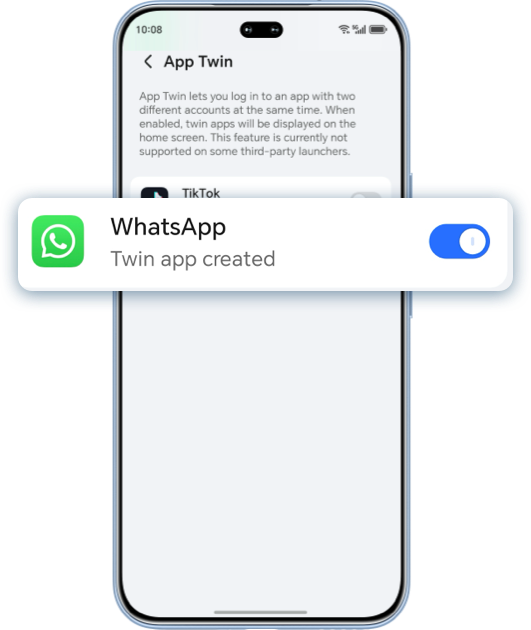
Turn on the App twin (3)
Return to the home screen and find the generated WhatsApp icon

*Above settings may vary depending on device models and system versions. Please refer to your actual experience.
Scan the QR code below to contact us immediately.

With the HONOR App Twin setting, you can log in to the same app using two different accounts simultaneously.
Turn on the App twin (1)
Open Settings > Apps > App Twin
Turn on the App twin (2)
Slide the to the right to enable the App twin
Turn on the App twin (3)
Return to the home screen and find the generated WhatsApp icon
*Above settings may vary depending on device models and system versions. Please refer to your actual experience.
Scan the QR code below to contact us immediately.