.webp)
Having more than two HONOR devices? Try HONOR AI MagicRing: Share faster, sync smoother, and double your productivity at work.
Project one device
on another including
phone/tablet/laptop
on another including
phone/tablet/laptop

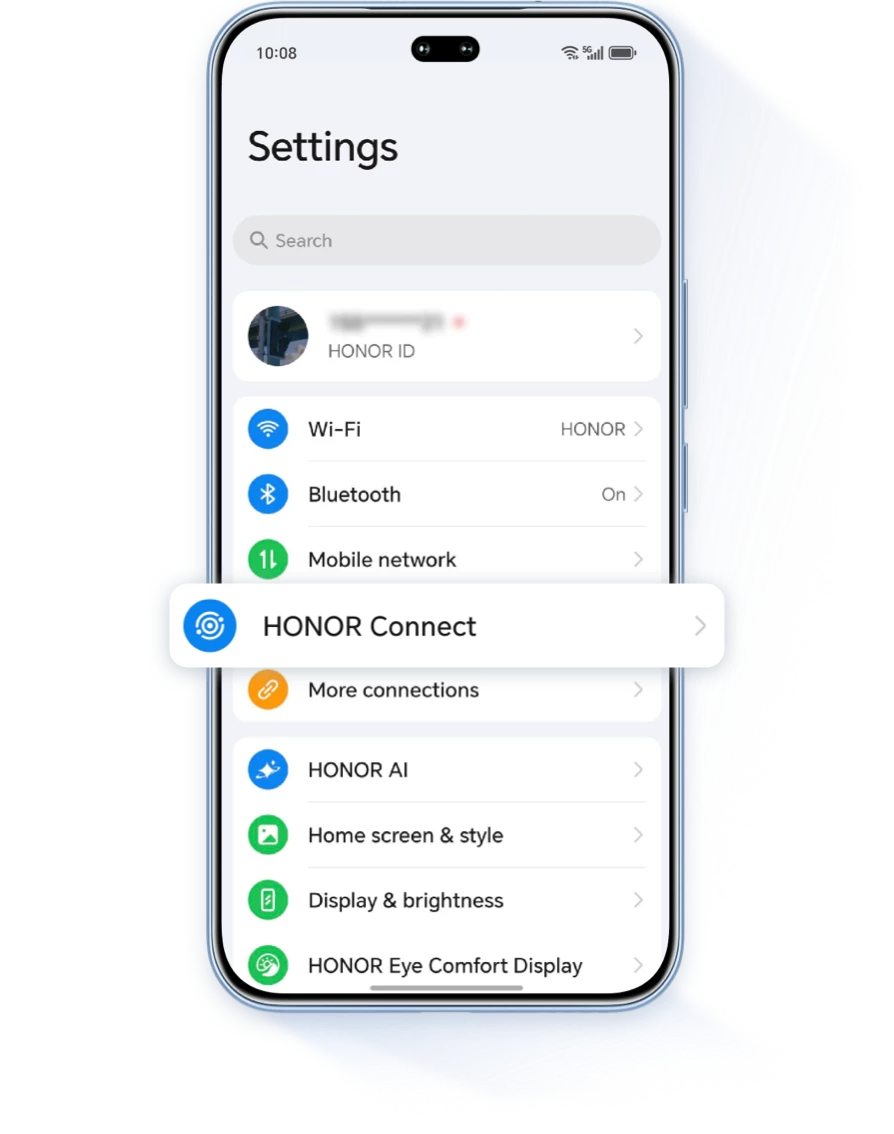
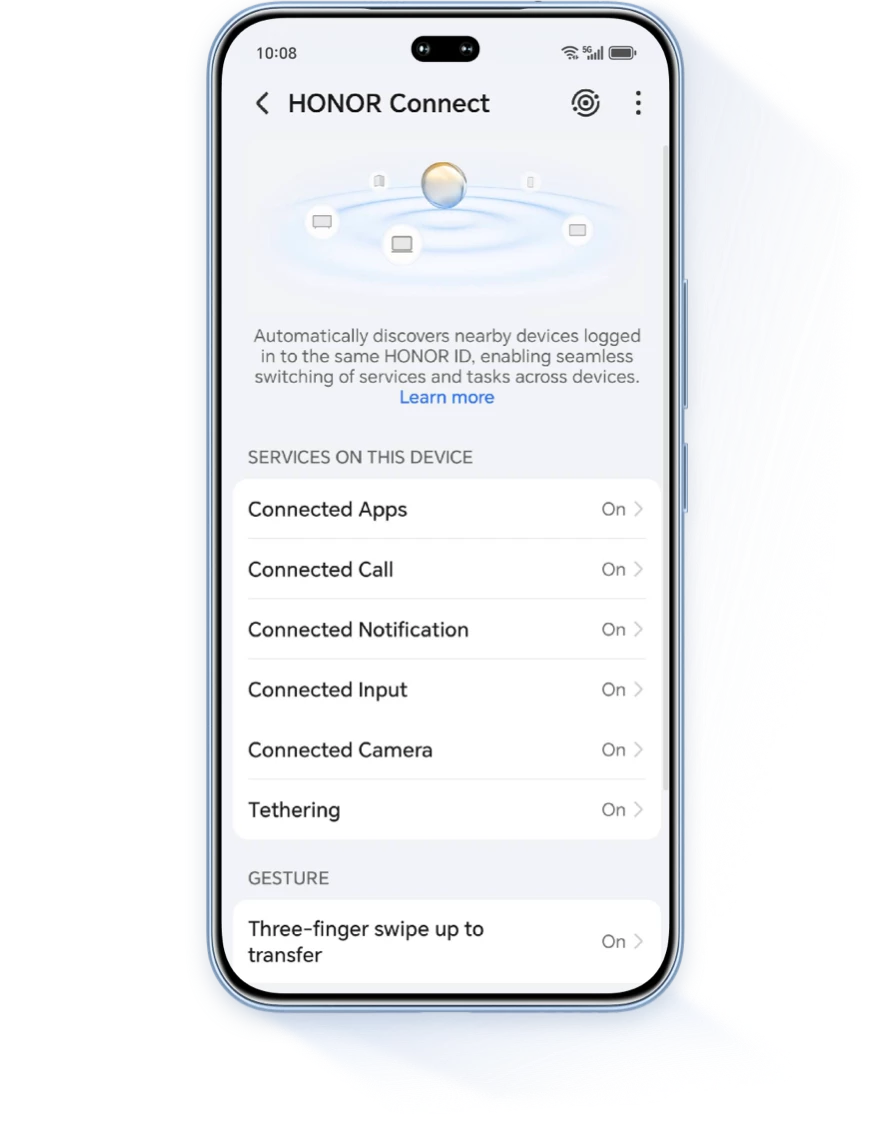
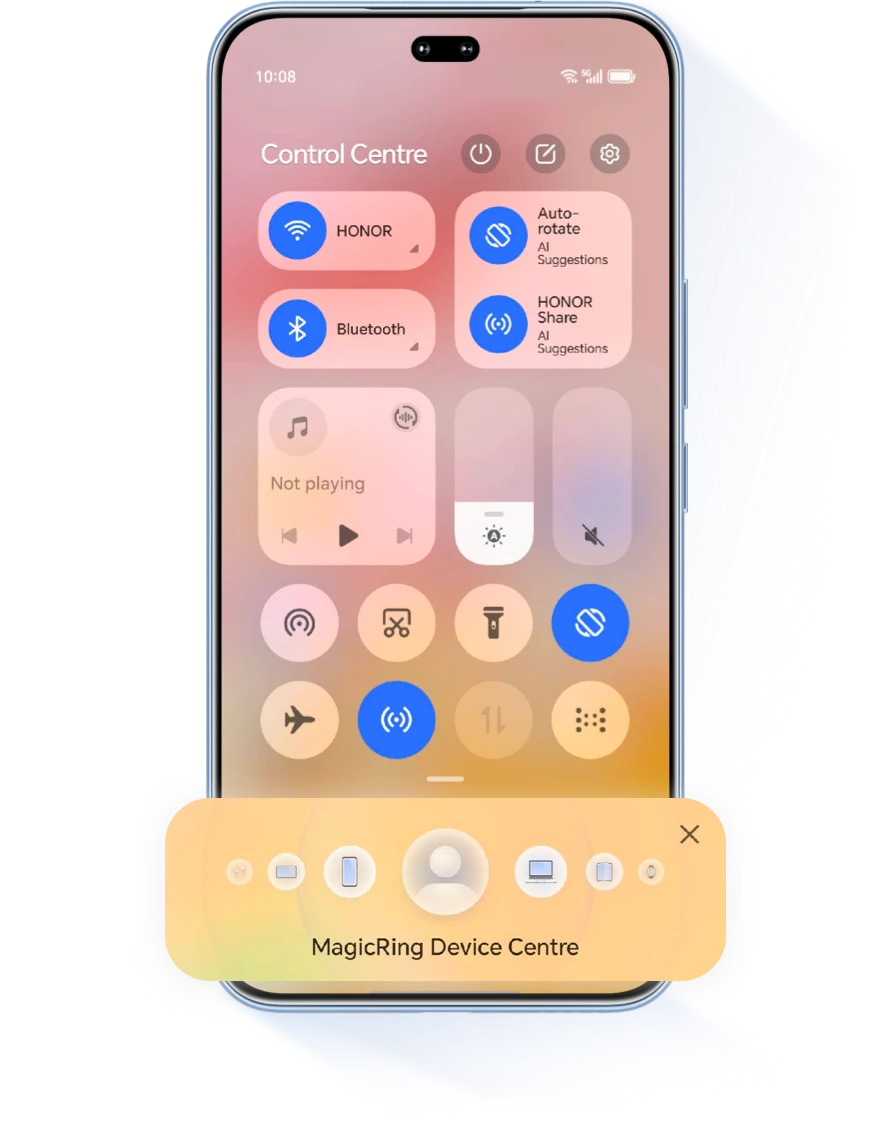
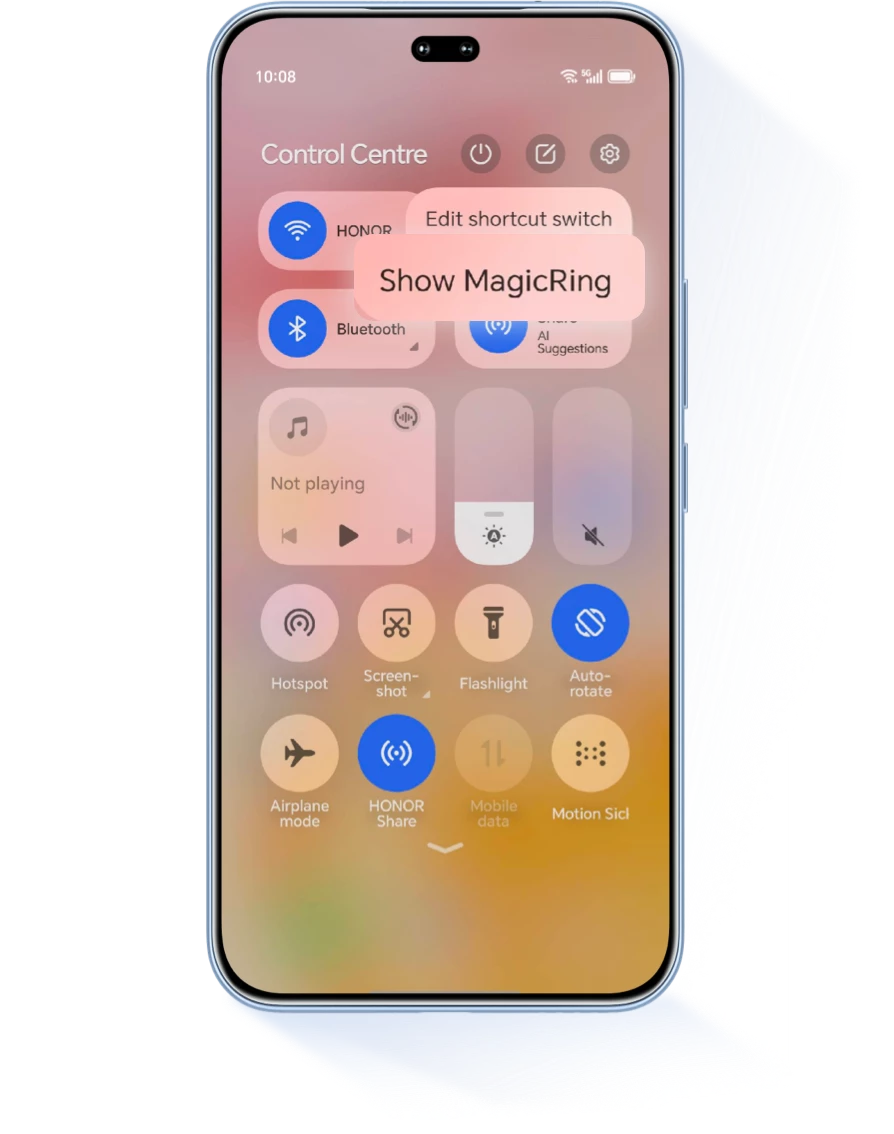
Find HONOR Connect in Settings, click  to enable MagicRing. You will see all your HONOR devices listed. Click the device, select screen sharing, then drag the screen sharing icon to the destination device to start projecting.
to enable MagicRing. You will see all your HONOR devices listed. Click the device, select screen sharing, then drag the screen sharing icon to the destination device to start projecting.
Once connected, you can answer calls, reply to messages, and transfer files directly from the projecting device, making multitasking easier.
* Before using HONOR Magic Ring, make sure that you are logged into the same HONOR account on all your devices, that Wi-Fi and Bluetooth are turned on.
* The compatibility of the above functions varies with different system models and versions, so please refer to your actual experience.
* The compatibility of the above functions varies with different system models and versions, so please refer to your actual experience.
Project your phone
on TV
Go to settings and find Wireless Projection, choose your TV's name to connect.
Scan the QR code below to contact us immediately.

Having more than two HONOR devices? Try HONOR AI MagicRing: Share faster, sync smoother, and double your productivity at work.
Project one device
on another including
phone/tablet/laptop
on another including
phone/tablet/laptop
Find HONOR Connect in Settings, click to enable MagicRing. You will see all your HONOR devices listed. Click the device, select screen sharing, then drag the screen sharing icon to the destination device to start projecting.
to enable MagicRing. You will see all your HONOR devices listed. Click the device, select screen sharing, then drag the screen sharing icon to the destination device to start projecting.

Once connected, you can answer calls, reply to messages, and transfer files directly from the projecting device, making multitasking easier.
* Before using HONOR Magic Ring, make sure that you are logged into the same HONOR account on all your devices, that Wi-Fi and Bluetooth are turned on.
* The compatibility of the above functions varies with different system models and versions, so please refer to your actual experience.
* The compatibility of the above functions varies with different system models and versions, so please refer to your actual experience.
Project your phone
on TV
on TV
Go to settings and find Wireless Projection, choose your TV's name to connect.
Scan the QR code below to contact us immediately.