
Reverse Wireless Charging
Turn Your Phone into a Power Bank
Turn Your Phone into a Power Bank

With reverse wireless charging, you can use your phone as a power bank to charge other devices that support wireless charging, such as another phone, wireless earbuds, or a watch. No cable needed—simply place the device against the back of your phone for fast, convenient charging.
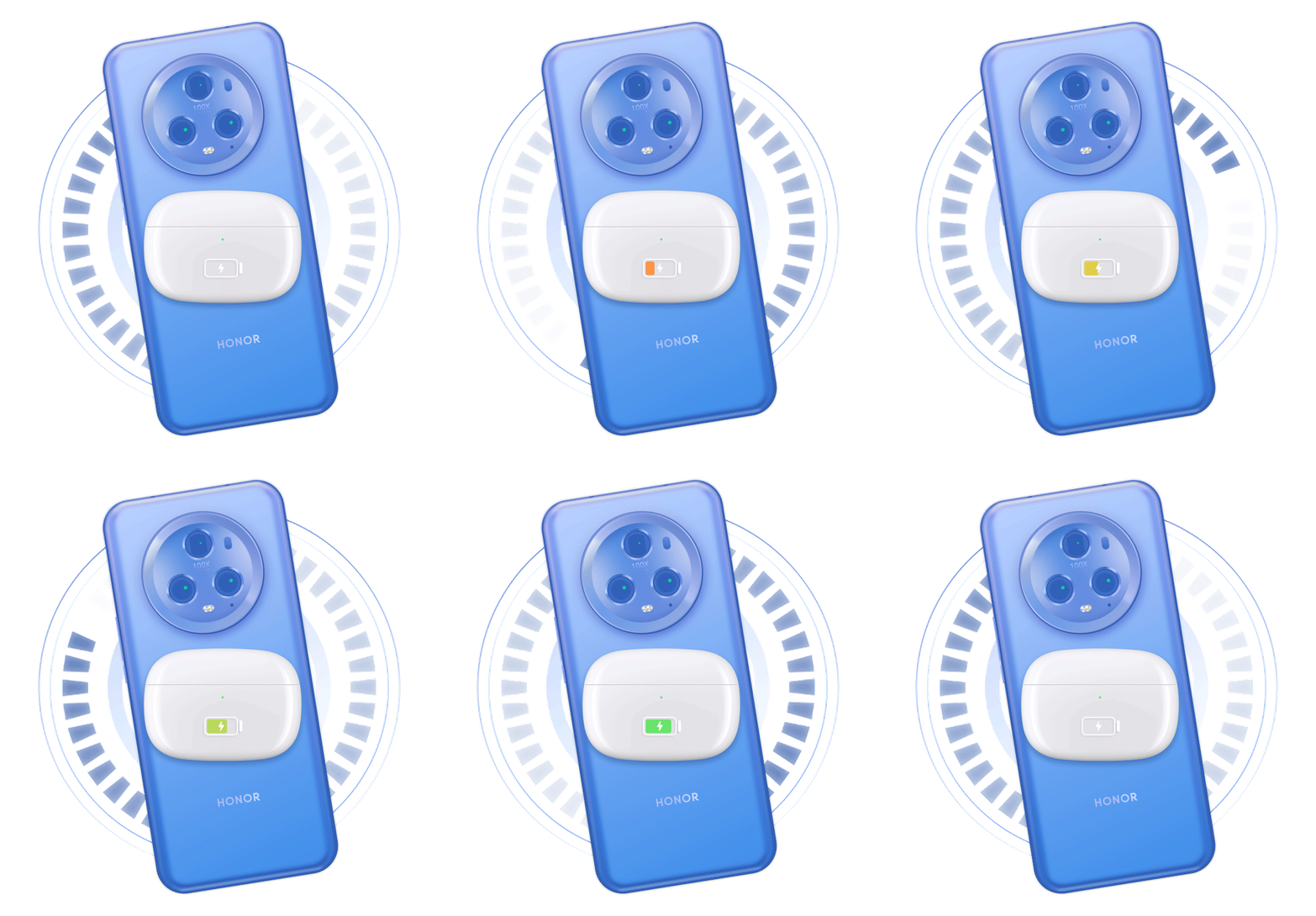
How do I use reverse wireless charging?
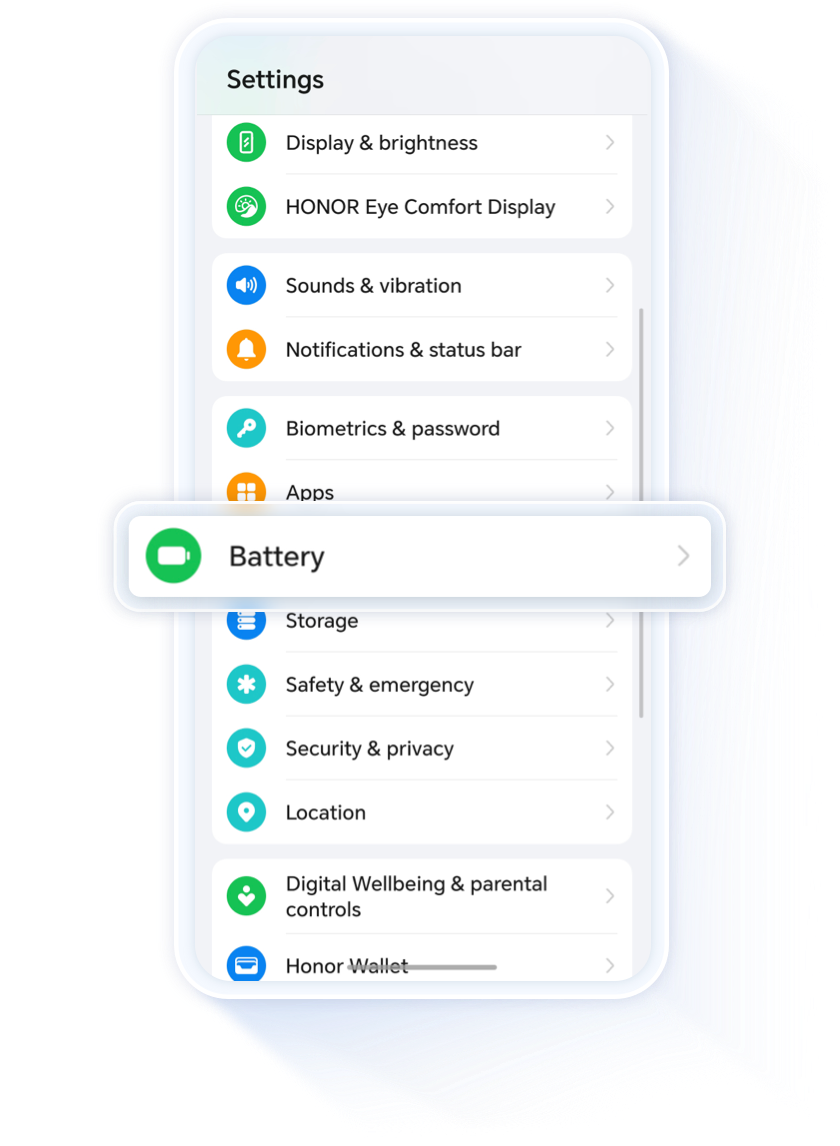
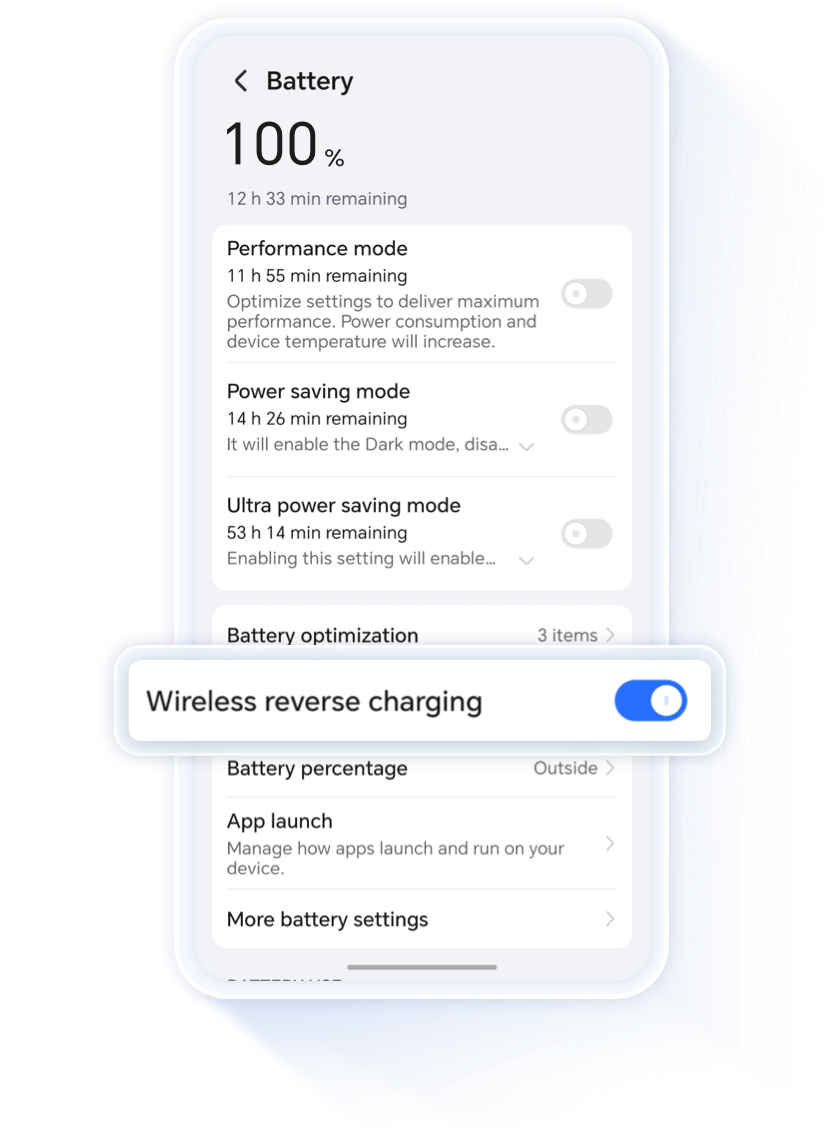
On the phone you’ll use to charge other devices, go to Settings > Battery, enable Reverse Wireless Charging, place the device to be charged at the center of the back of the phone, wait for about 5 seconds, then verify that charging has started.
What should I be aware of before charging?
•
Battery level is essential: Please ensure your phone'sbattery level is above 20%. If the battery level falls below20%, the phone will automatically stop wireless reverse charging to ensure normal operation and an optimal charging experience.
•
Ensure that the receiving device is powered on.
Unable to reverse charge?
01.
Check for any foreign objects between the two devices
.webp)
Remove any cards, coins, metal rings, magnets, or metal protective cases between the two devices. While charging, make sure not to place your phone directly on metal objects.

02.
Check the position of the device being charged
The device being charged needs to be placed at the center on the back of the charger. The farther it is from the center, the lower the charging efficiency. If it is placed beyond a certain range, charging may fail or stop.
03.
Single-Device Reverse Charging Mode
If the device being charged is a phone, make sure it's reverse wireless charging feature is turned off. If both phones have reverse wireless charging enabled at the same time, one of them may randomly switch to receiver mode, resulting in charging issues.
Issue still unresolved? Back up your data and take your device to an officially authorized HONOR service center for inspection.
The output power of wireless reverse charging is lower than that of a standard wired charger, so it will charge devices more slowly and is suited for emergency top-ups.
Friendly Reminder
Wireless reverse charging, effortlessly easing your low-battery anxiety.
Scan the QR code below to contact us immediately.

Reverse Wireless Charging
Turn Your Phone into a Power Bank
Turn Your Phone into a Power Bank
With reverse wireless charging, you can use your phone as a power bank to charge other devices that support wireless charging, such as another phone, wireless earbuds, or a watch. No cable needed—simply place the device against the back of your phone for fast, convenient charging.
How do I use reverse wireless charging?
On the phone you’ll use to charge other devices, go to Settings > Battery, enable Reverse Wireless Charging, place the device to be charged at the center of the back of the phone, wait for about 5 seconds, then verify that charging has started.

What should I be aware of before charging?
•
Battery level is essential: Please ensure your phone'sbattery level is above 20%. If the battery level falls below20%, the phone will automatically stop wireless reverse charging to ensure normal operation and an optimal charging experience.
•
Ensure that the receiving device is powered on.
Unable to reverse charge?
01.
Check for any foreign objects between the two devices
Remove any cards, coins, metal rings, magnets, or metal protective cases between the two devices. While charging, make sure not to place your phone directly on metal objects.
02.
Check the position of the device being charged
The device being charged needs to be placed at the center on the back of the charger. The farther it is from the center, the lower the charging efficiency. If it is placed beyond a certain range, charging may fail or stop.
03.
Single-Device Reverse Charging Mode
If the device being charged is a phone, make sure it's reverse wireless charging feature is turned off. If both phones have reverse wireless charging enabled at the same time, one of them may randomly switch to receiver mode, resulting in charging issues.
Issue still unresolved? Back up your data and take your device to an officially authorized HONOR service center for inspection.
The output power of wireless reverse charging is lower than that of a standard wired charger, so it will charge devices more slowly and is suited for emergency top-ups.
Friendly Reminder
Wireless reverse charging, effortlessly easing your low-battery anxiety.
Scan the QR code below to contact us immediately.