HONOR devices can transfer data at high speed with cross-brand Android devices without using mobile data, fully unleashing productivity with convenience and efficiency.
Send content through Quick Share


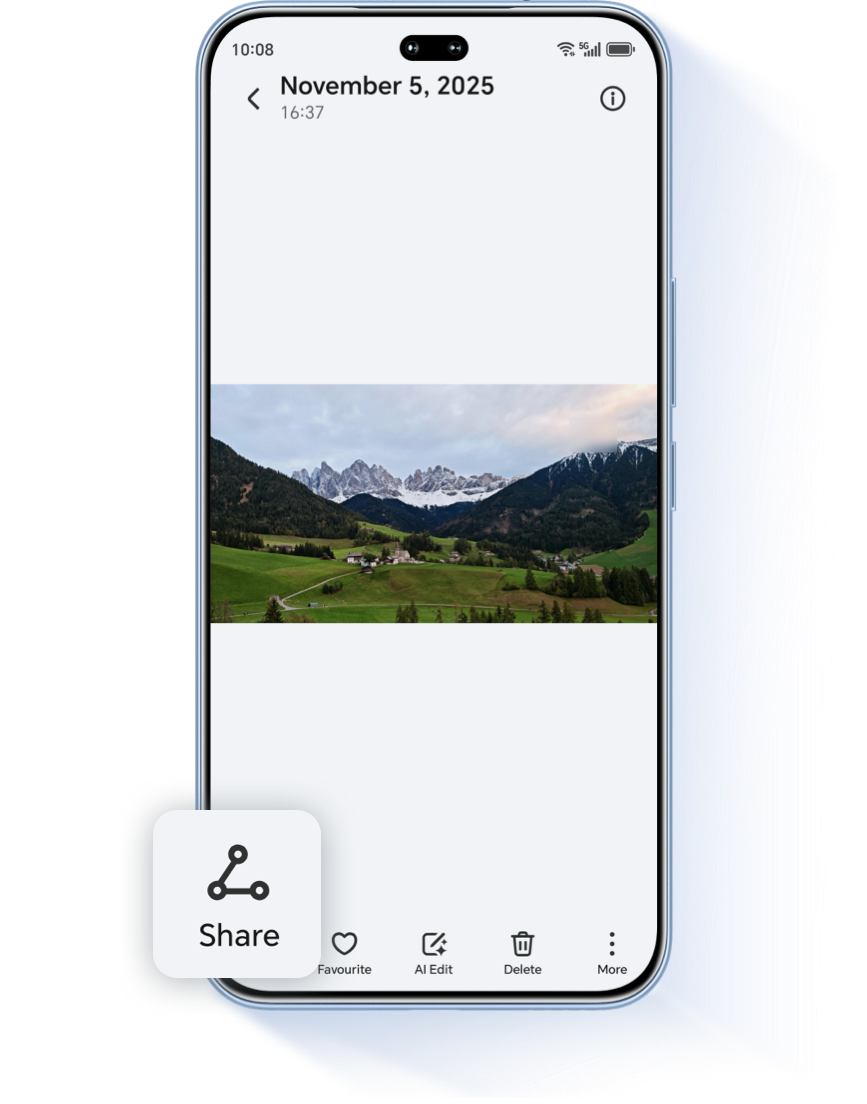
On your HONOR / Android device, open a content that you want to share, like a photo or webpage.

Tap Share and then Quick Share.
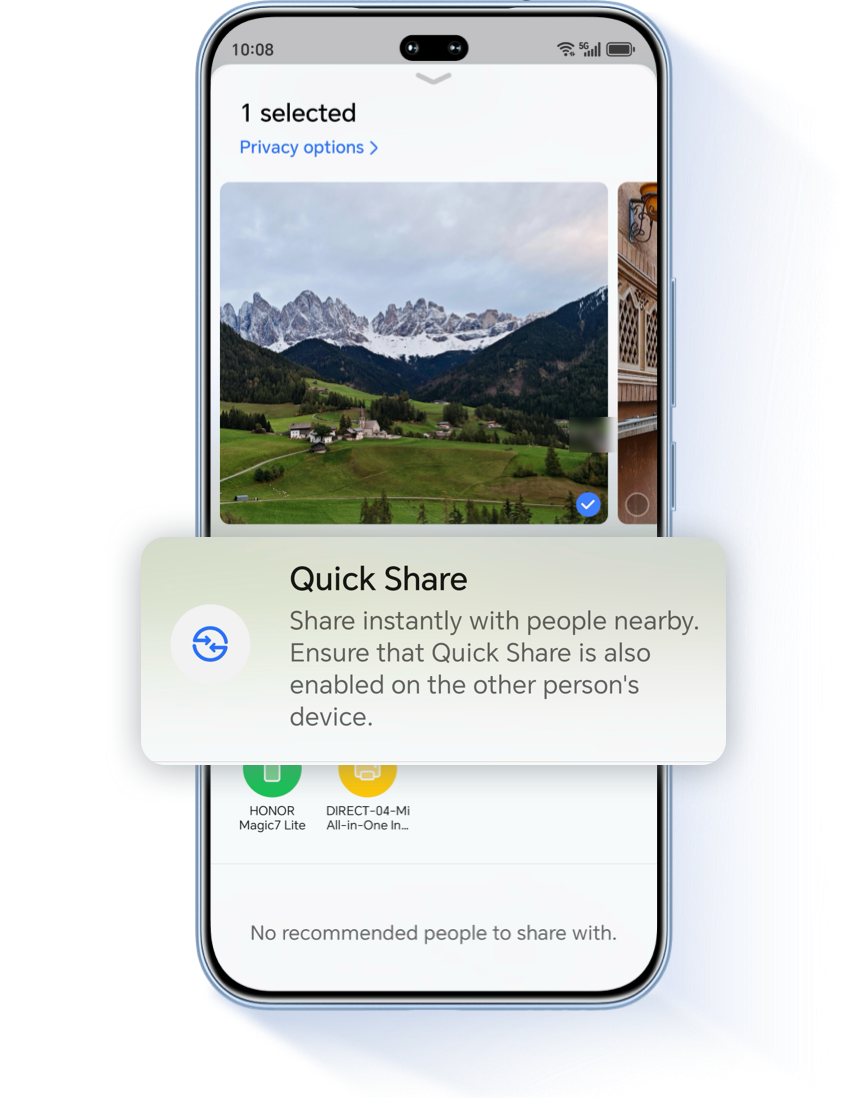

Tap the device you want to share with.
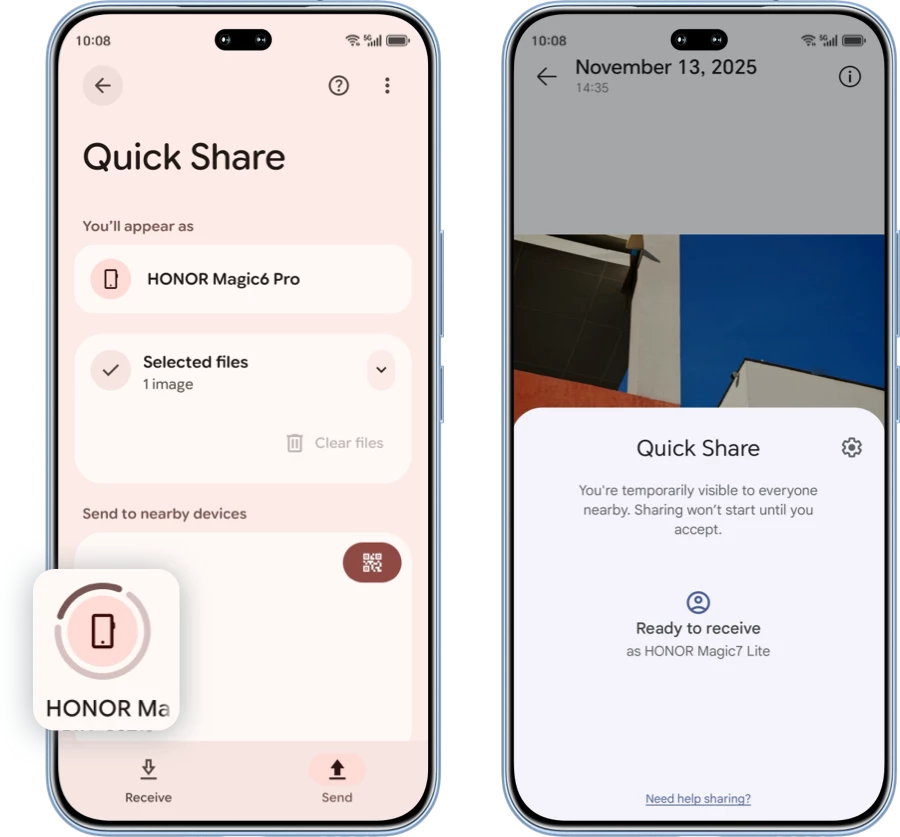

Wait for the other device to accept your sharing request.
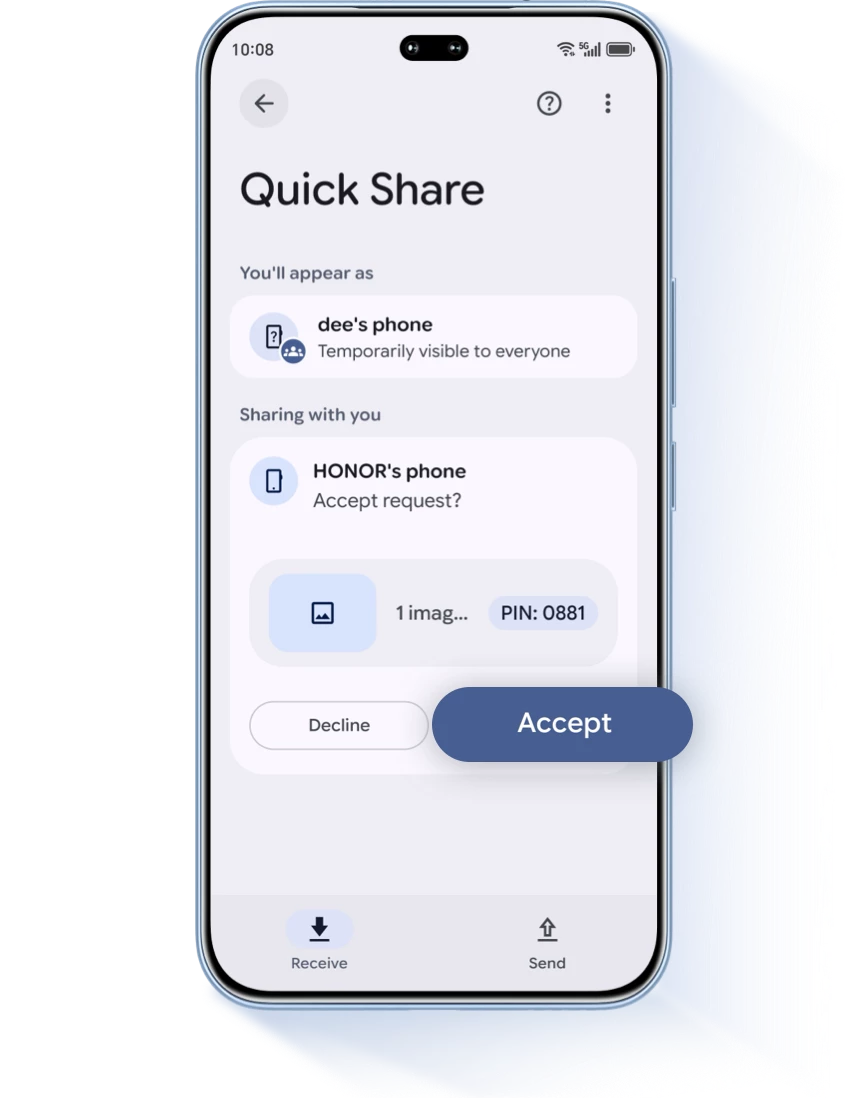
*If you can’t find the other device, make sure the other device is in “Receive” mode from the Quick Share page.

To select multiple receivers, you can tap more than one device.
*Simultaneous sharing is only supported on selected device models.

1. Make sure the device you want to share with is nearby.
2. Make sure the screen on the other device is unlocked.
3. To cancel an in-progress transfer, select the same device again.
2. Make sure the screen on the other device is unlocked.
3. To cancel an in-progress transfer, select the same device again.
*Some of these steps work only on Android 13 and up. Quick Share is available on Android devices, Chromebooks, and on select Windows PCs through our.
HONOR devices can transfer data at high speed with cross-brand Android devices without using mobile data, fully unleashing productivity with convenience and efficiency.
Send content through Quick Share
On your HONOR / Android device, open a content that you want to share, like a photo or webpage.
Tap Share and then Quick Share.

Tap the device you want to share with.
Wait for the other device to accept your sharing request.
*If you can’t find the other device, make sure the other device is in “Receive” mode from the Quick Share page.
To select multiple receivers, you can tap more than one device.
*Simultaneous sharing is only supported on selected device models.
1. Make sure the device you want to share with is nearby.
2. Make sure the screen on the other device is unlocked.
3. To cancel an in-progress transfer, select the same device again.
2. Make sure the screen on the other device is unlocked.
3. To cancel an in-progress transfer, select the same device again.
*Some of these steps work only on Android 13 and up. Quick Share is available on Android devices, Chromebooks, and on select Windows PCs through our.