
.svg)
One-Tap Share with
HONOR Devices
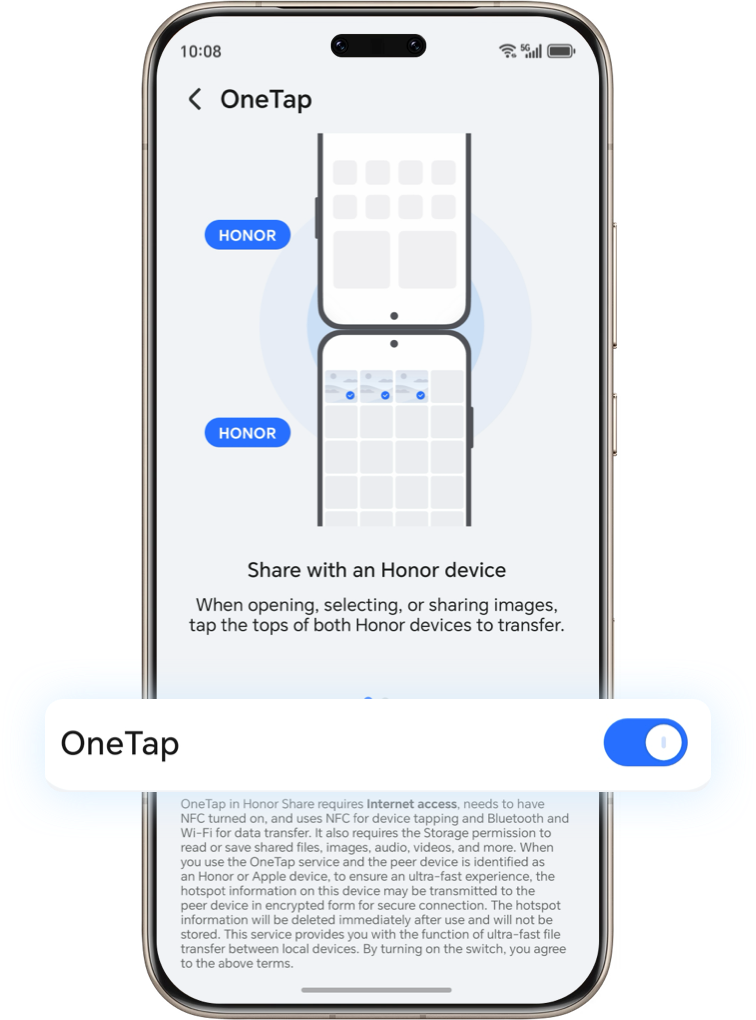
1. On both devices, go to Settings > More connections and turn on the OneTap feature.
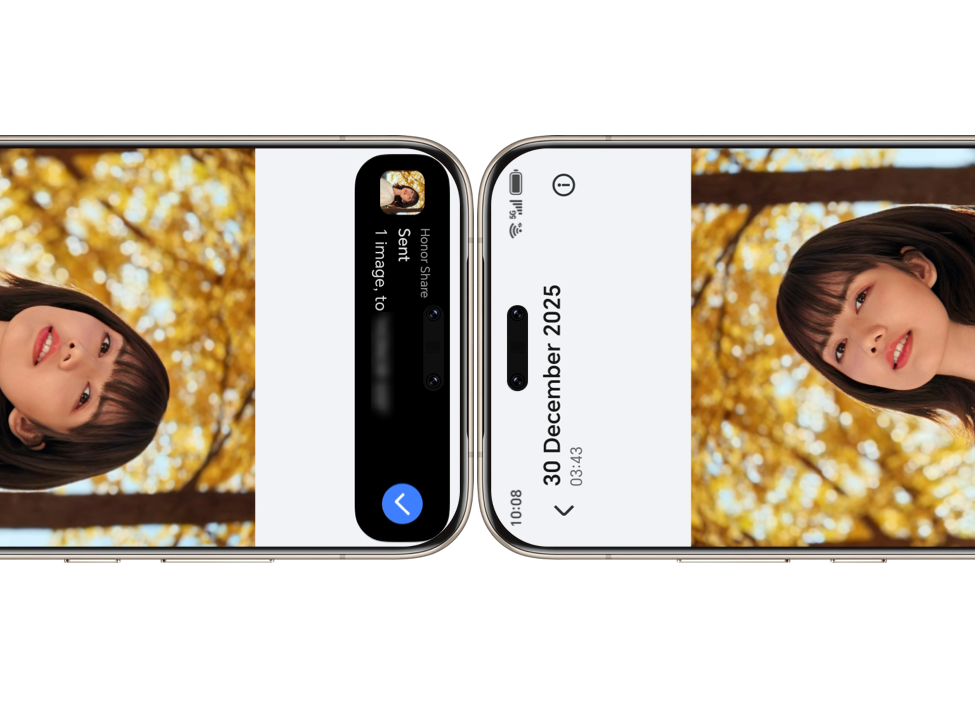
2. With both devices unlocked and screens on, gently tap the top of the receiving device to initiate One-Tap Transfer.
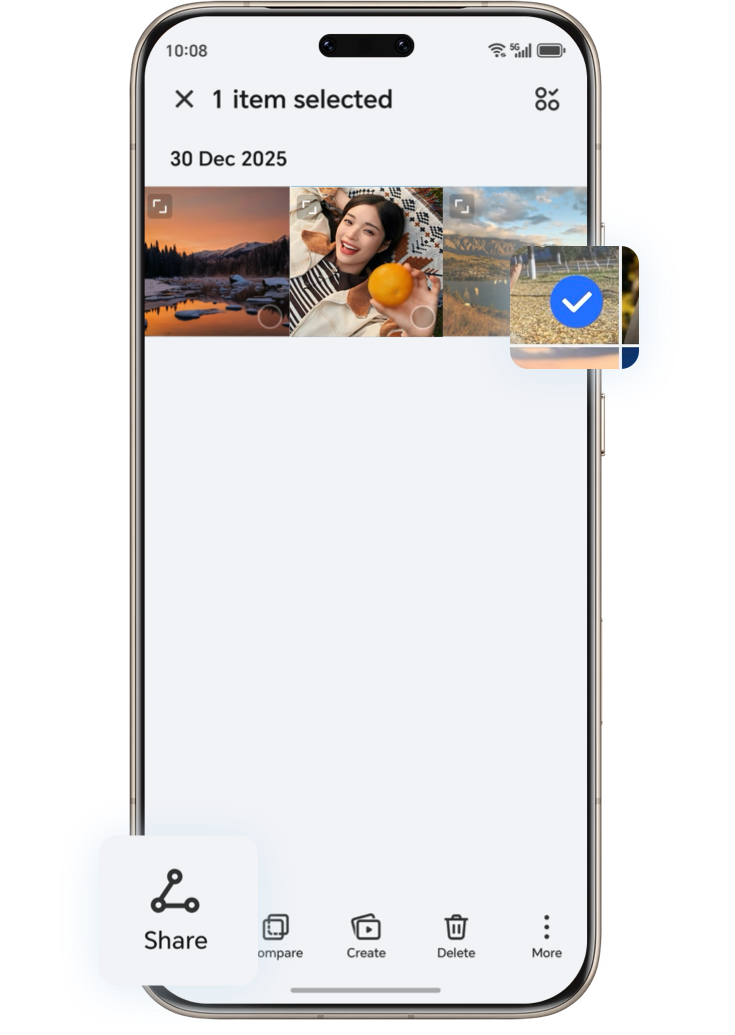
3. In Gallery or Notes, open the item or select its details to share.
4. You can also select content and tap Share, then One-Tap to transfer images, videos, documents, text files, apps, and more.
*Please make sure your phone is upgraded to MagicOS 10.0. Steps may vary slightly by device; follow on-screen instructions.
Tap to Share with
iPhone Devices
Before sharing, enable NFC on both devices.
On HONOR: Settings > More connections > NFC
On HONOR phones running MagicOS 10.0, also ensure One-Tap is enabled (Settings > More connections > One Tap).
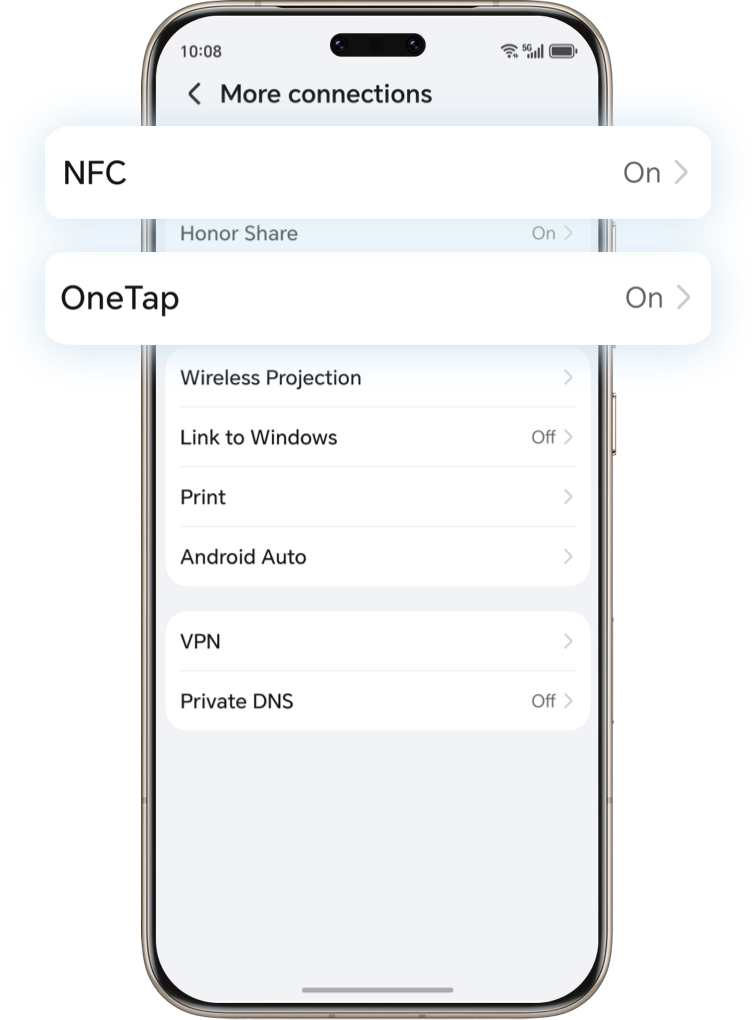
On iPhone: Settings > General > NFC
Install the latest version of the
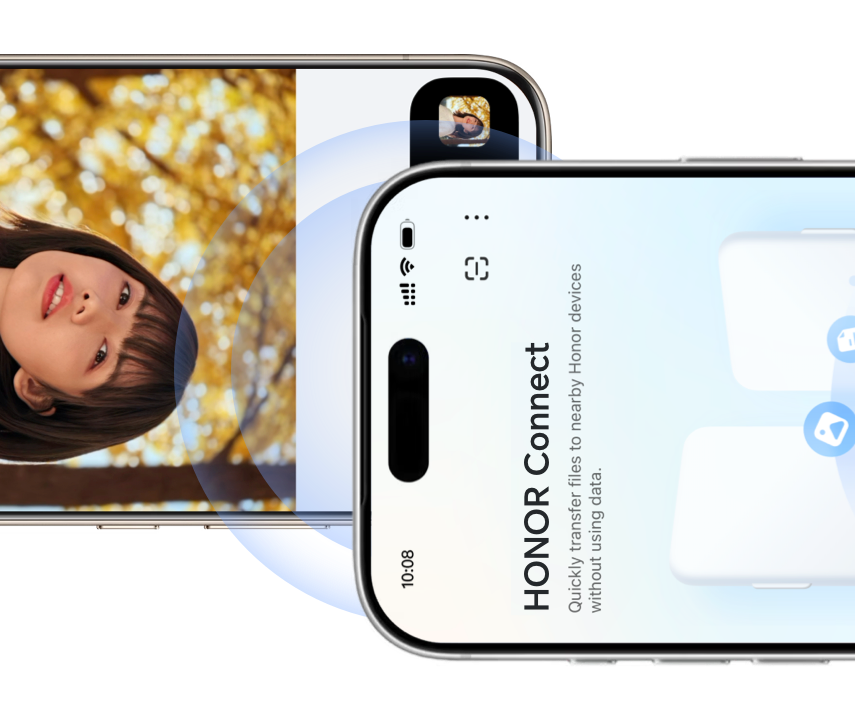
'HONOR Connect' app on the iPhone via the App Store. Open the app and grant the required permissions.
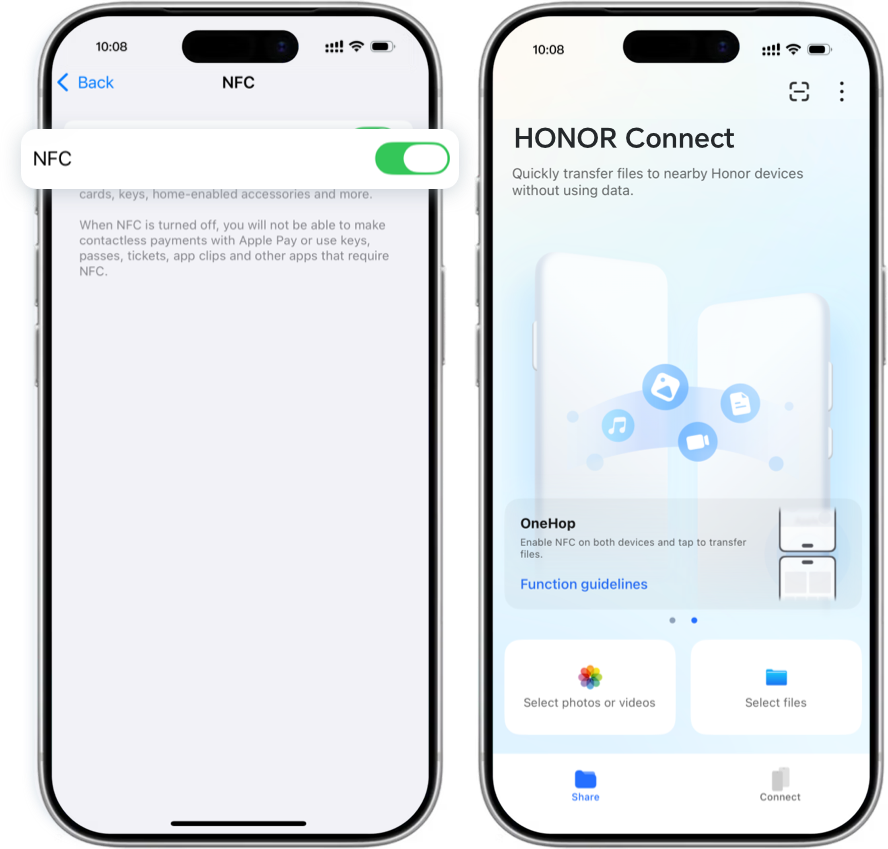
One-Tap File Transfer
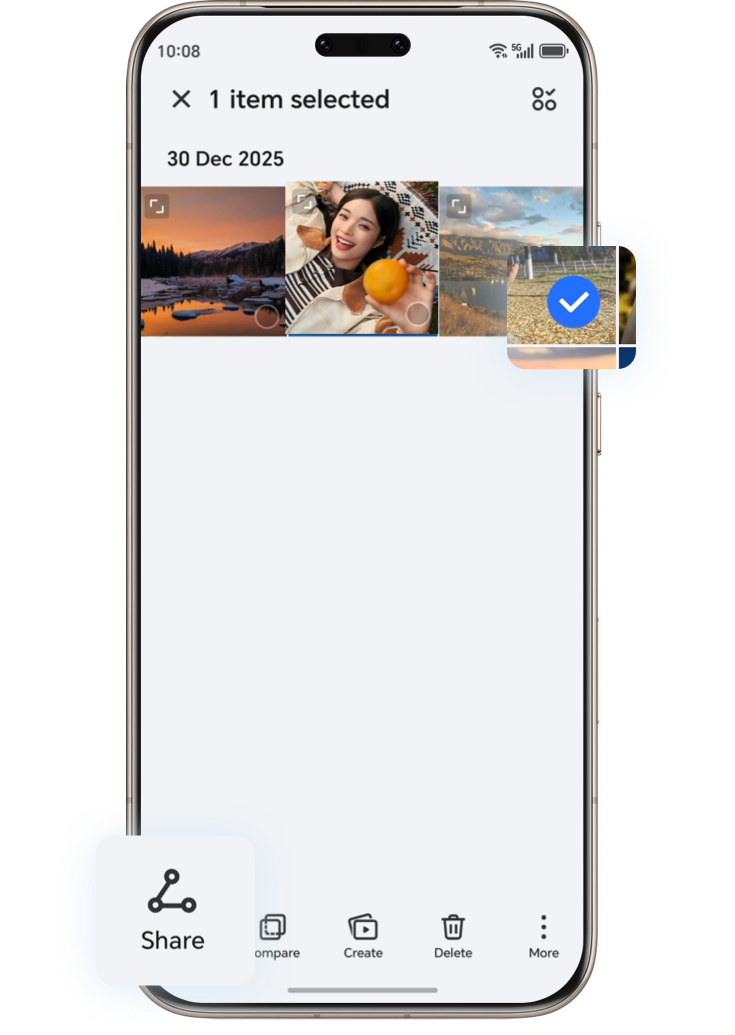
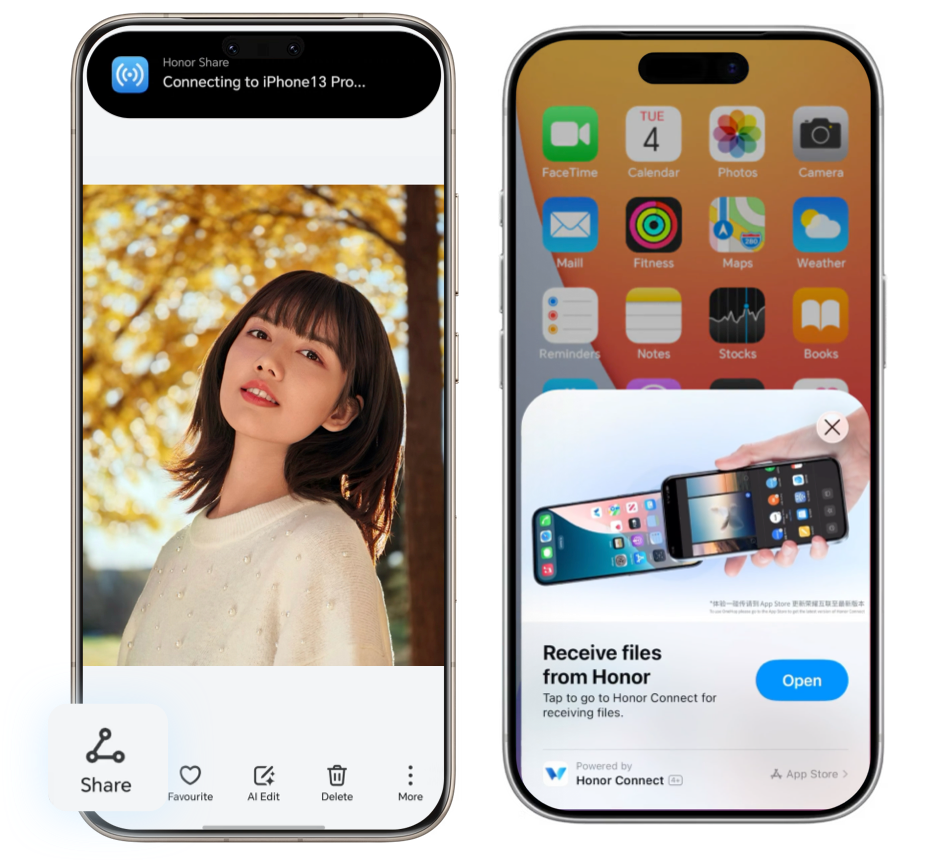
One-Tap File Receiving
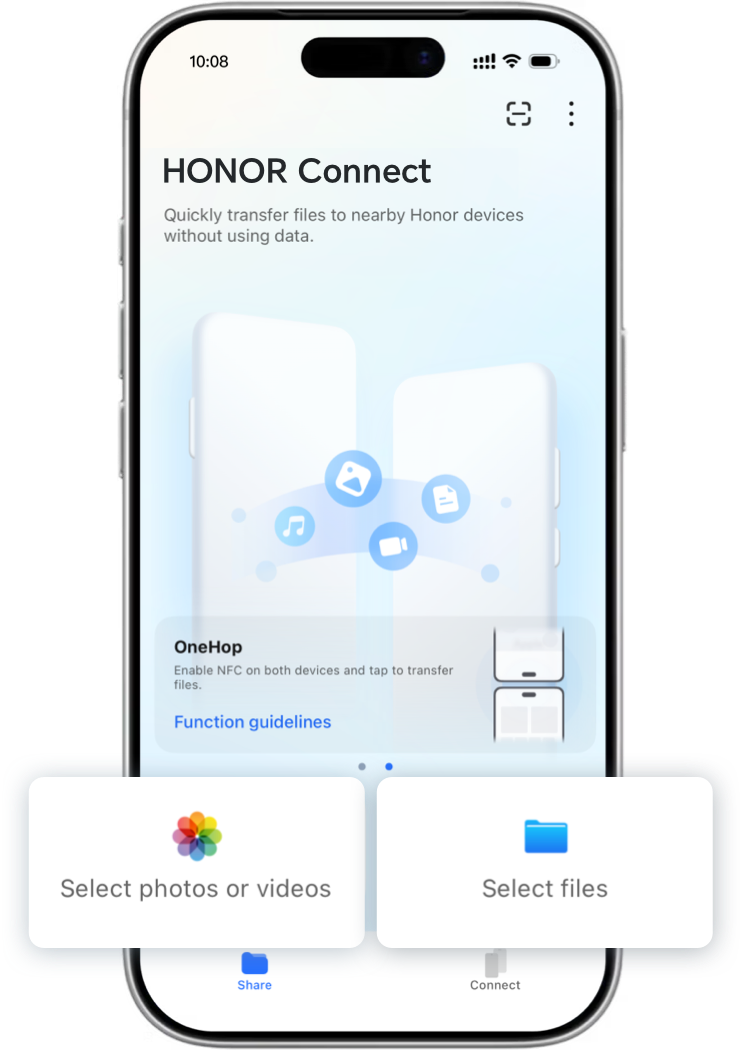
Device Requirements:
1. Supported on iPhone 13 or later, running iOS 17 or above.
2. HONOR Connect app version 1.1.18312 or later.
All Your Files, Photos & Videos – One Tap Sharing for HONOR & iPhone!
One-Tap Share with
HONOR Devices
1. On both devices, go to Settings > More connections and turn on the OneTap feature.
2. With both devices unlocked and screens on, gently tap the top of the receiving device to initiate One-Tap Transfer.
3. In Gallery or Notes, open the item or select its details to share.
4. You can also select content and tap Share, then One-Tap to transfer images, videos, documents, text files, apps, and more.
*Please make sure your phone is upgraded to MagicOS 10.0. Steps may vary slightly by device; follow on-screen instructions.
Tap to Share with
iPhone Devices
Before sharing, enable NFC on both devices.
On HONOR: Settings > More connections > NFC
On HONOR phones running MagicOS 10.0, also ensure One-Tap is enabled (Settings > More connections > One Tap).
On iPhone: Settings > General > NFC
Install the latest version of the
'HONOR Connect' app on the iPhone via the App Store. Open the app and grant the required permissions.
One-Tap File Transfer

One-Tap File Receiving
Device Requirements:
1. Supported on iPhone 13 or later, running iOS 17 or above.
2. HONOR Connect app version 1.1.18312 or later.
All Your Files, Photos & Videos – One Tap Sharing for HONOR & iPhone!