
without a Watermark?

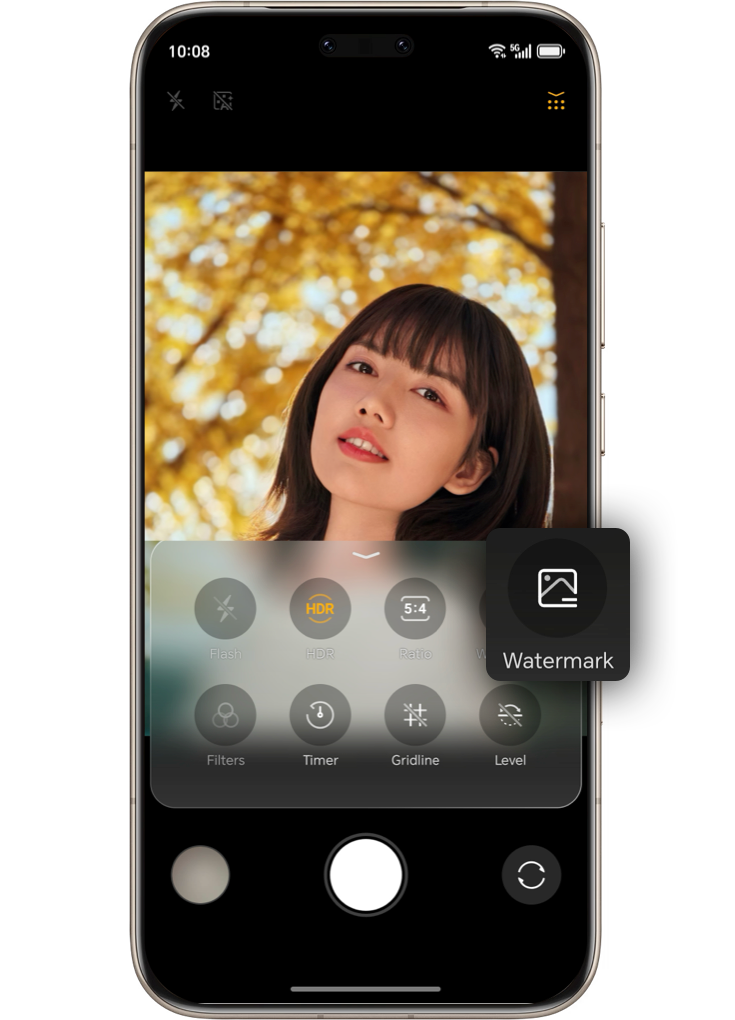
A watermark is automatically added to photos taken with your HONOR device.
You can easily turn off the watermark feature by following these steps:
Go to Camera  >
>  >
>  to turn off the automatic watermark addition.



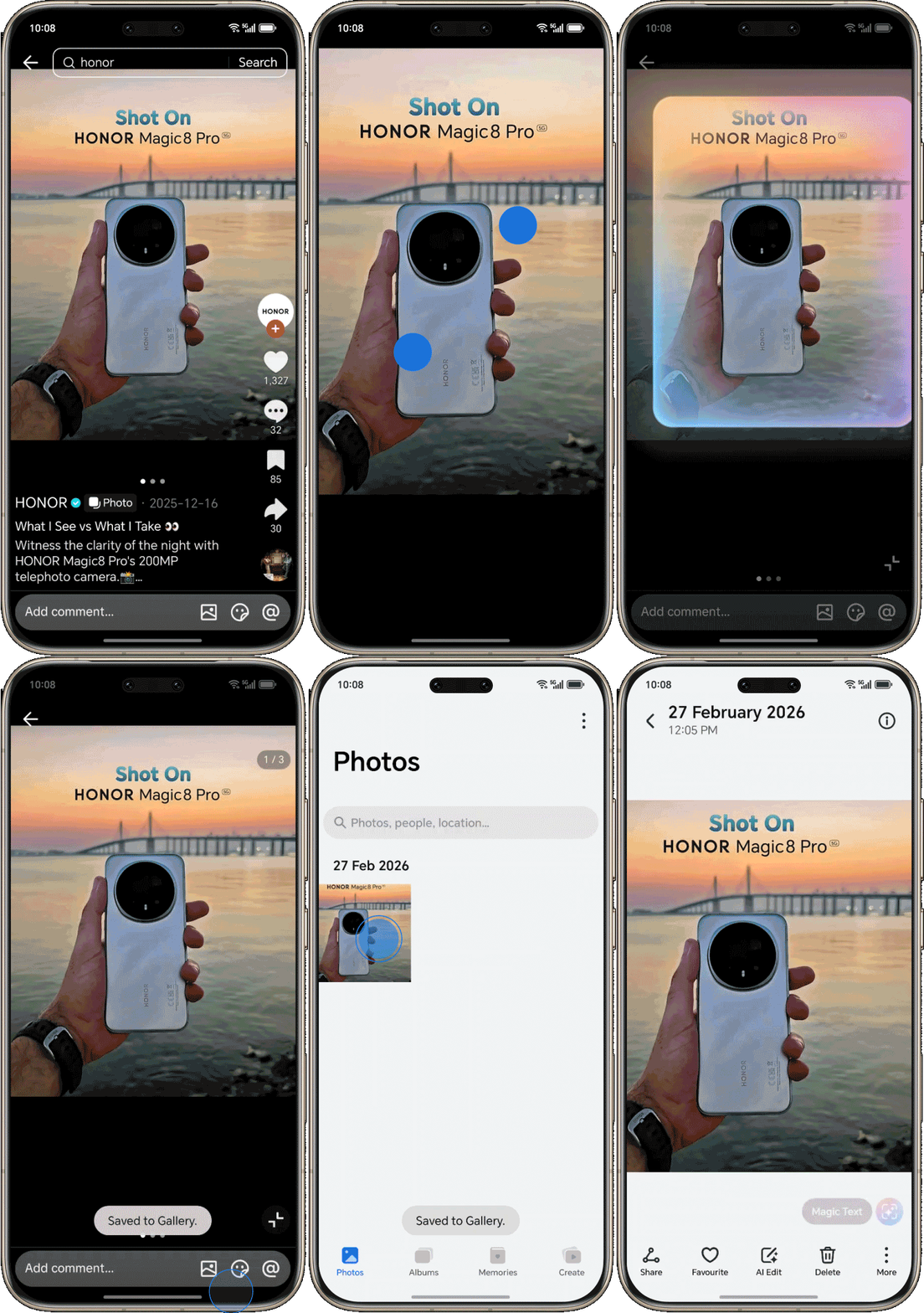
You downloaded a picture from a third-party social media platform, but an account number watermark appears after saving it to your album.
Try saving the photo using HONOR Magic Portal.
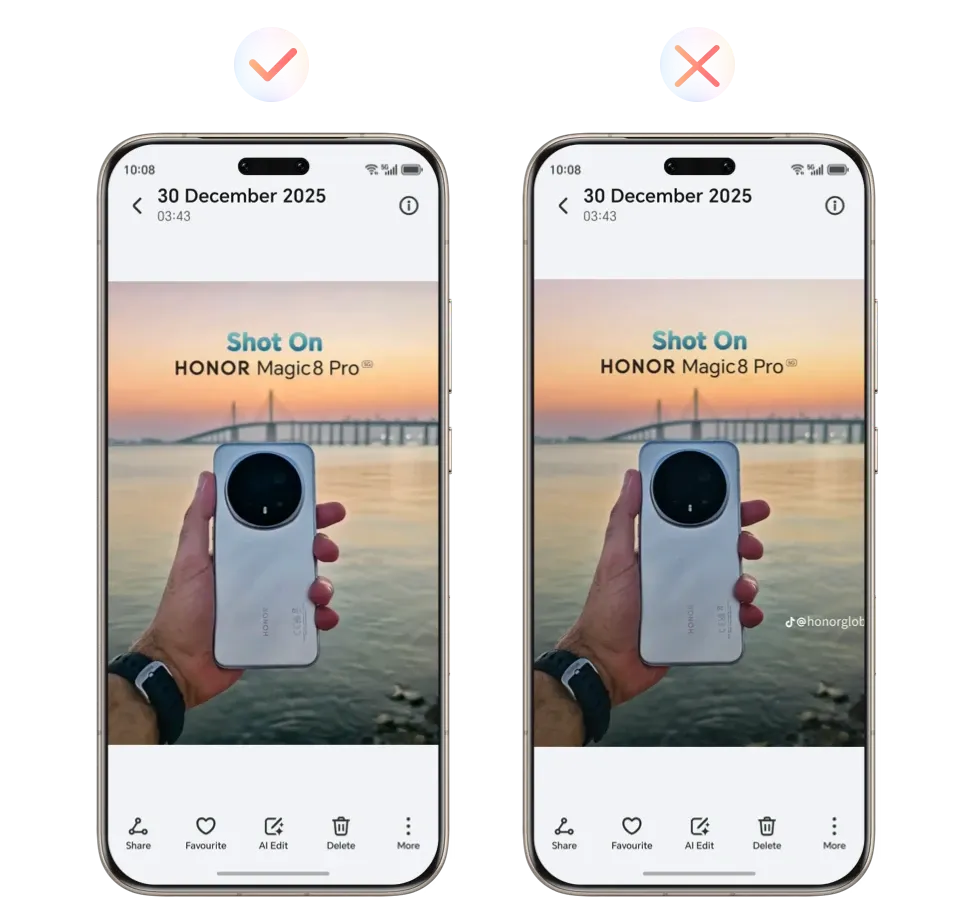

The picture you want to download already has a watermark before saving. In this case, it is recommended to use the HONOR AI Eraser to remove the watermark.
Select the photo, click Al Edit > Magic Retouch > Al Eraser , remove the watermark.



without a Watermark?
A watermark is automatically added to photos taken with your HONOR device.
You can easily turn off the watermark feature by following these steps:
Go to Camera > > to turn off the automatic watermark addition.

You downloaded a picture from a third-party social media platform, but an account number watermark appears after saving it to your album.
Try saving the photo using HONOR Magic Portal.
The picture you want to download already has a watermark before saving. In this case, it is recommended to use the HONOR AI Eraser to remove the watermark.
Select the photo, click Al Edit > Magic Retouch > Al Eraser , remove the watermark.